
Z-Image ControlNet Workflow in ComfyUI
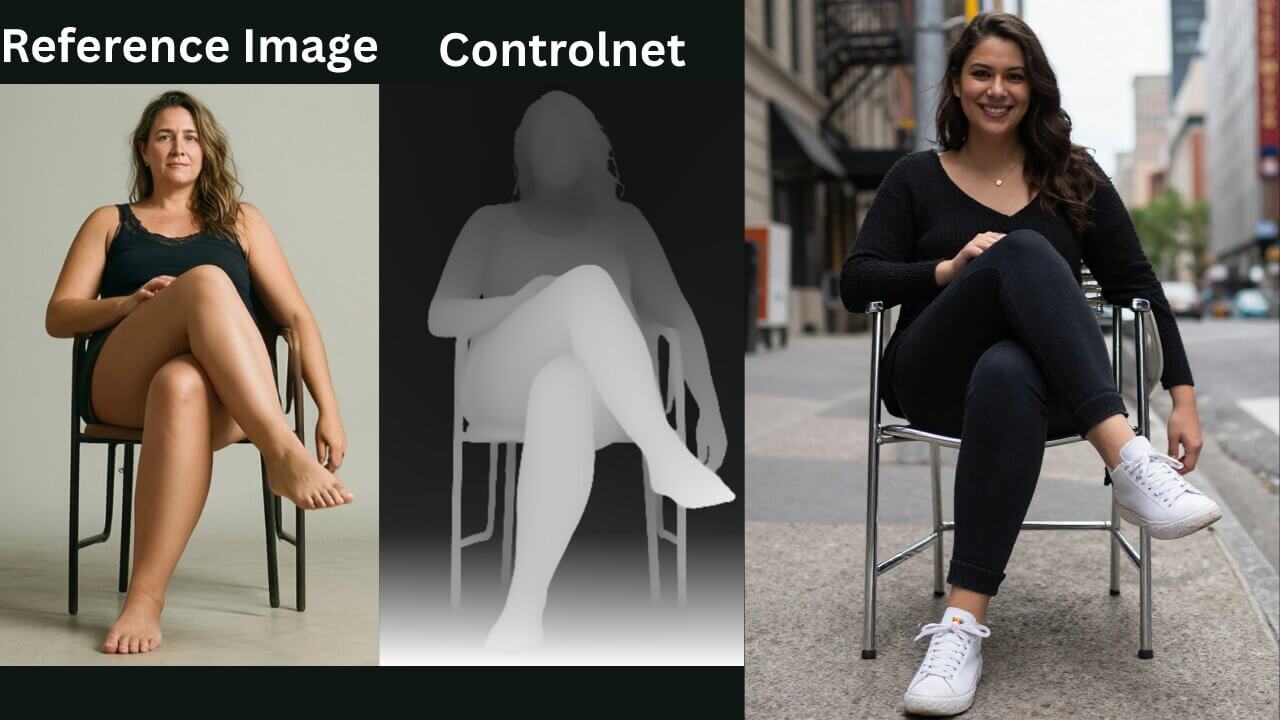
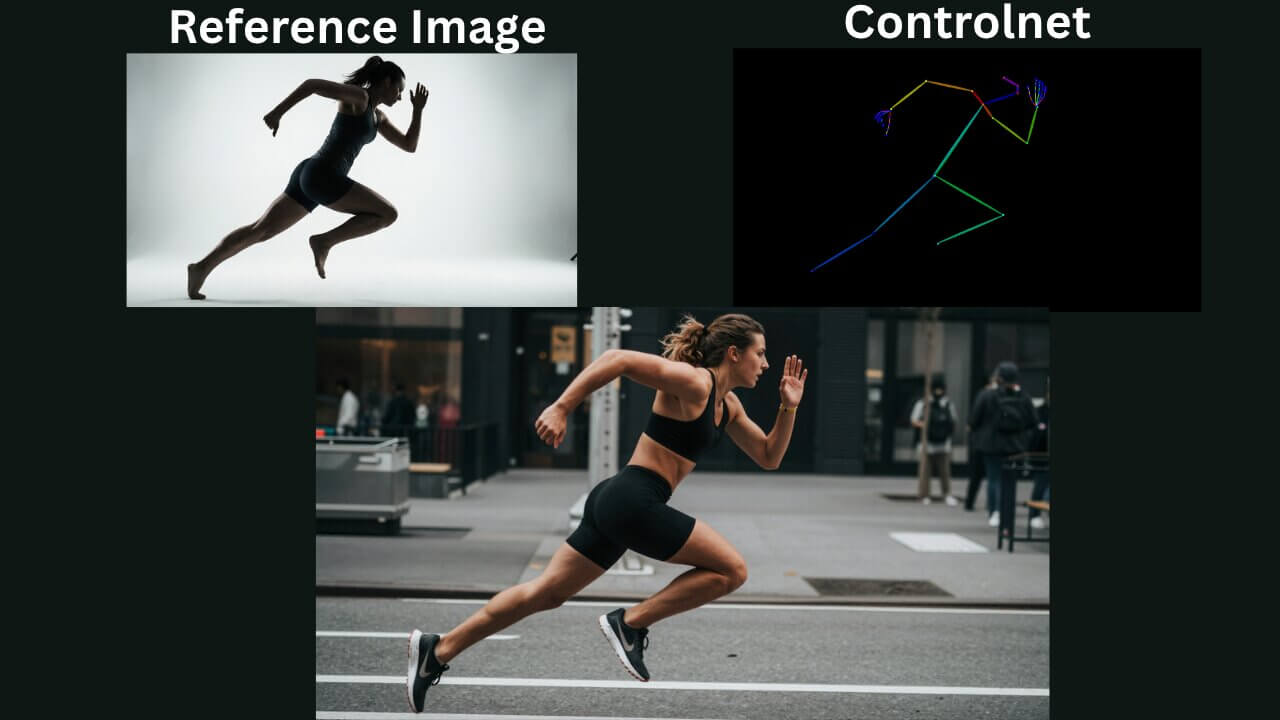
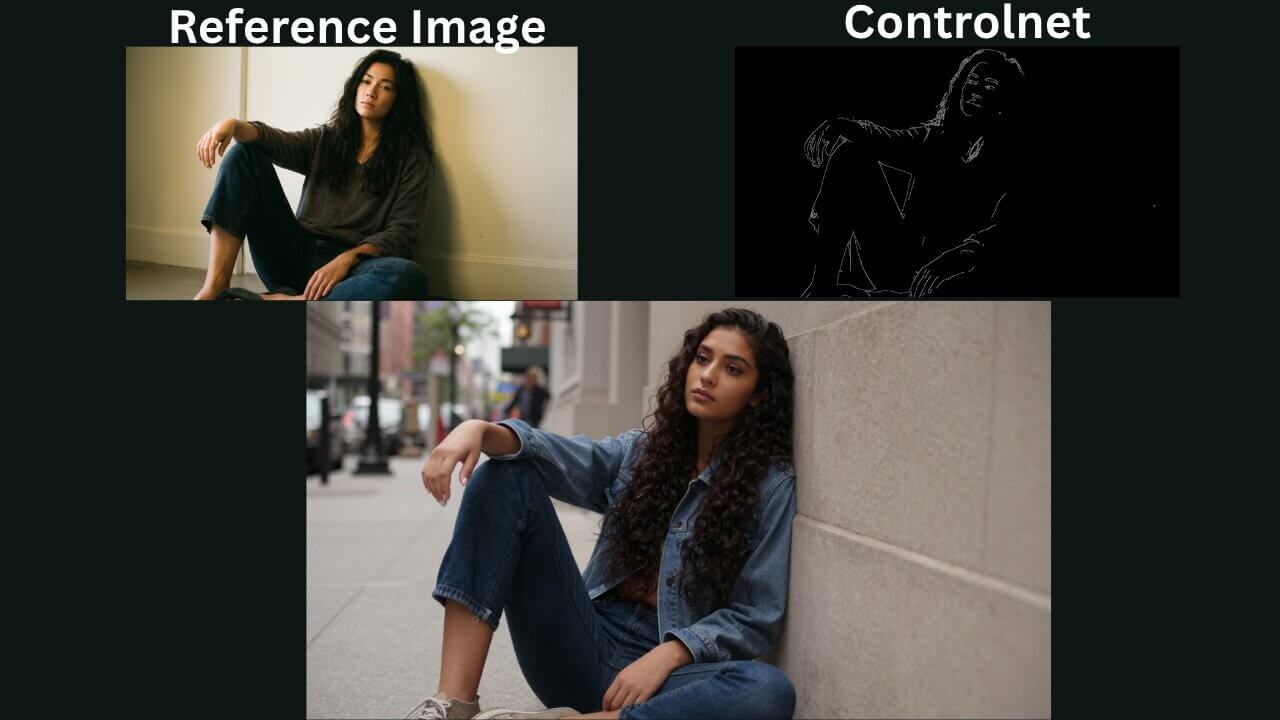
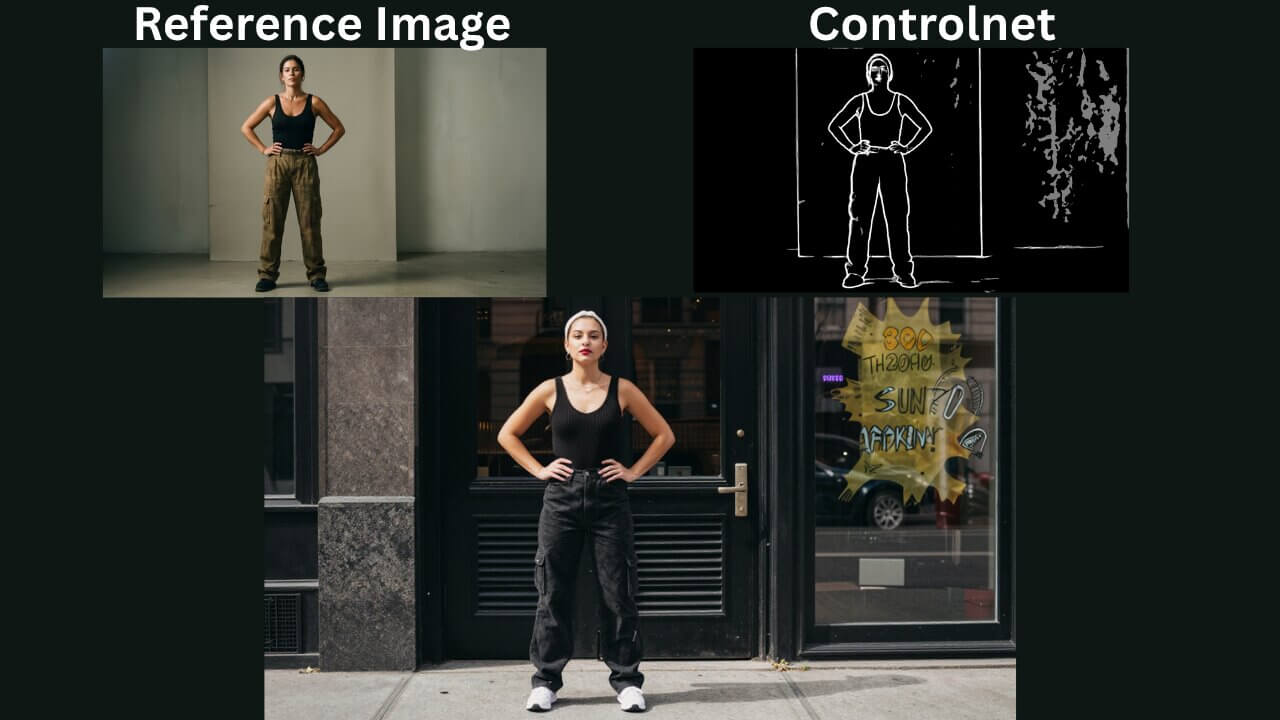
This ComfyUI Z-Image ControlNet workflow lets you use a reference image with ControlNet to generate accurate AI images based on your prompt and selected ControlNet type.
About This Workflow
Z-Image ControlNet Workflow
The Z-Image ControlNet workflow in ComfyUI is a powerful setup that helps you generate highly accurate AI images using a reference image.
This workflow takes a reference image as input and processes it through a selected ControlNet model (such as OpenPose, Canny, Depth, Lineart, or others)
Why Use This Workflow
Normally, when you generate images using only text prompts, the results can vary a lot. Even with the same prompt, the pose and composition may change every time.
With this workflow, ControlNet helps you lock important details such as:
Body pose Camera angle Composition Depth structure Edge outlines Facial alignment (depending on ControlNet type)
This makes the workflow extremely useful for creators who want stable and repeatable results.
Required Models
Workflow Graph
Read-only preview — Use the expand button for a larger view
Ready to use this workflow? Download the JSON file below — free, no signup needed.
Join the discussion
Sign in to leave a comment or reply
No comments yet
Be the first to share your thoughts!