
The Mistake That's Costing You Your First Month
Quick Answer
No, you don’t need to code to start an AI automation side hustle — tools like Zapier, Make, and n8n let you build real automations with drag-and-drop screens, not scripts. The mistake wasting most beginners’ first month isn’t a skills gap. It’s spending three weeks jumping between tools and tutorials instead of picking one and building something a business would actually pay for. Realistic first-month income: $0–$200, mostly spent learning.
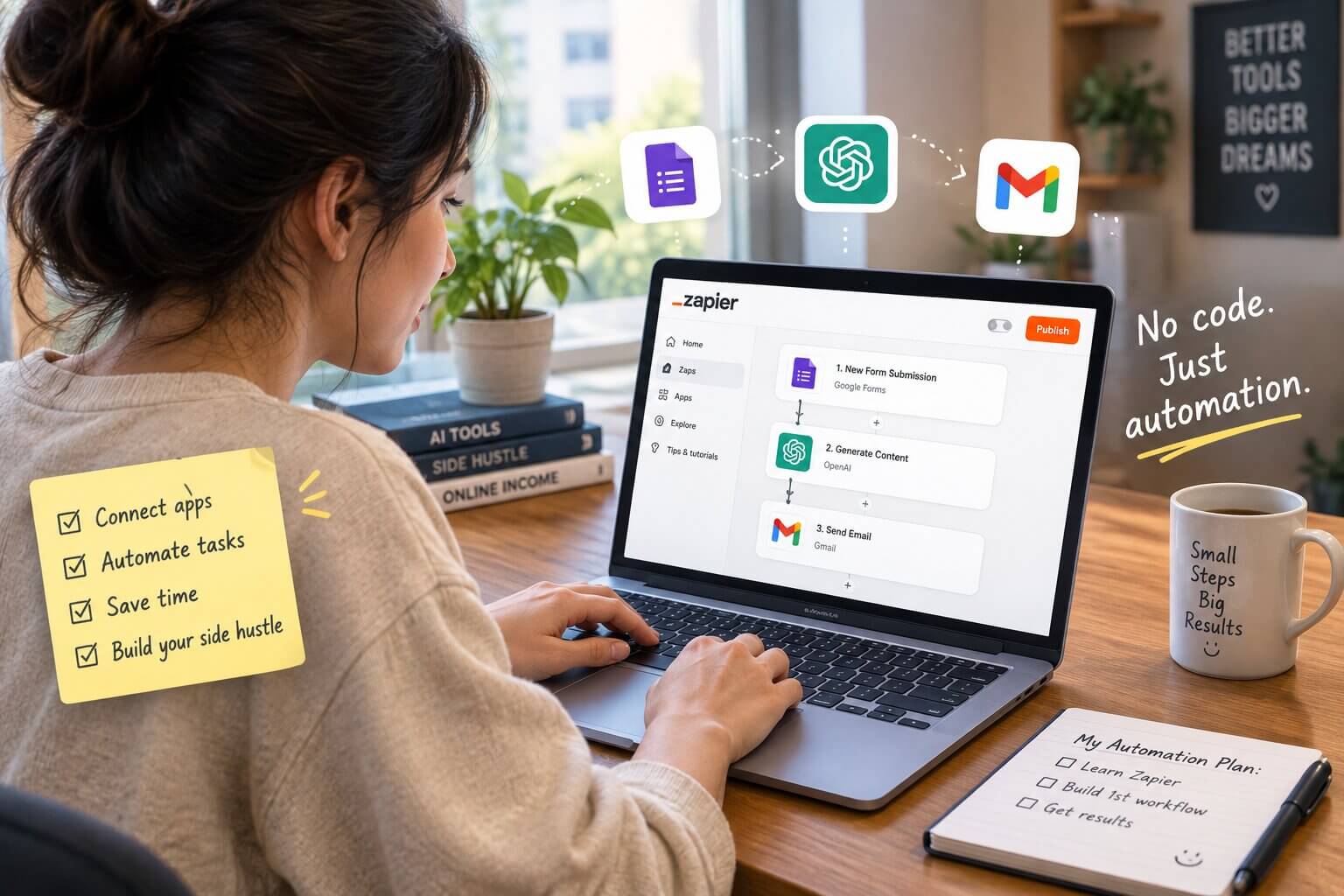
Here's the mistake, up front: you're going to open five tabs today. A YouTube video about n8n. A Reddit thread arguing that Make is better. A "10 AI Automations That Print Money" listicle. A course selling you the "complete system" for $197. And somewhere in there, a nagging feeling that everyone else already knows how to do this and you're behind.
You're not behind. You're doing exactly what wastes the first month.
An AI automation side hustle for beginners with no coding background is genuinely realistic in 2026 — the tools have gotten that good. But almost nobody explains that the real obstacle isn't technical. It's decision paralysis dressed up as "research." This guide skips the hype and gives you the actual path: which tool to pick today, what to build first, how to price it, and what to realistically expect in your first 90 days.
Do You Actually Need to Code to Start an AI Automation Side Hustle?
No. And this isn't a "technically true but actually you'll struggle" no — it's a real no.
No-code automation tools work by connecting apps visually: you pick a trigger ("a new lead fills out this form"), pick an action ("send them a text and add them to my CRM"), and the tool handles everything underneath. You're not writing functions. You're dragging boxes and filling in dropdowns.
The three tools that matter here are Zapier, Make, and n8n. All three let you build what most people mean when they say "AI automation" — workflows that move data between apps, trigger on events, and optionally call an AI model (like ChatGPT or Claude) partway through to write, summarize, or decide something. None of them require you to know what a function or an API key even is, though you'll pick up the basics naturally within a week or two.
The gap between you and someone already doing this professionally isn't a coding class. It's about 15–20 hours of hands-on building. That's it.
What's the Mistake That's Quietly Wasting Most Beginners' First Month?
It's tool-hopping.
Here's what it looks like: you sign up for Zapier, watch two tutorials, get intimidated by the pricing page, sign up for Make instead, watch three more tutorials, see someone on Twitter say n8n is "what real automation people use," sign up for that too. Three weeks pass. You have three half-finished accounts and zero automations that actually work end to end.
The second version of this mistake is subtler: you do pick a tool, but you build something impressive instead of something sellable. An automation that turns your Spotify Wrapped into a haiku is fun. Nobody will pay you for it. A local dentist's office losing appointments because nobody follows up on missed calls — that's boring, and it's worth money.
The fix is almost annoyingly simple: pick one tool this week, and build one automation that solves a real, boring problem — even if the "client" is just you or a friend's small business, to start.
Which No-Code Tool Should You Actually Start With? (Zapier vs Make vs n8n)
Free tools first, always. Here's the honest breakdown, not the vendor-comparison version:
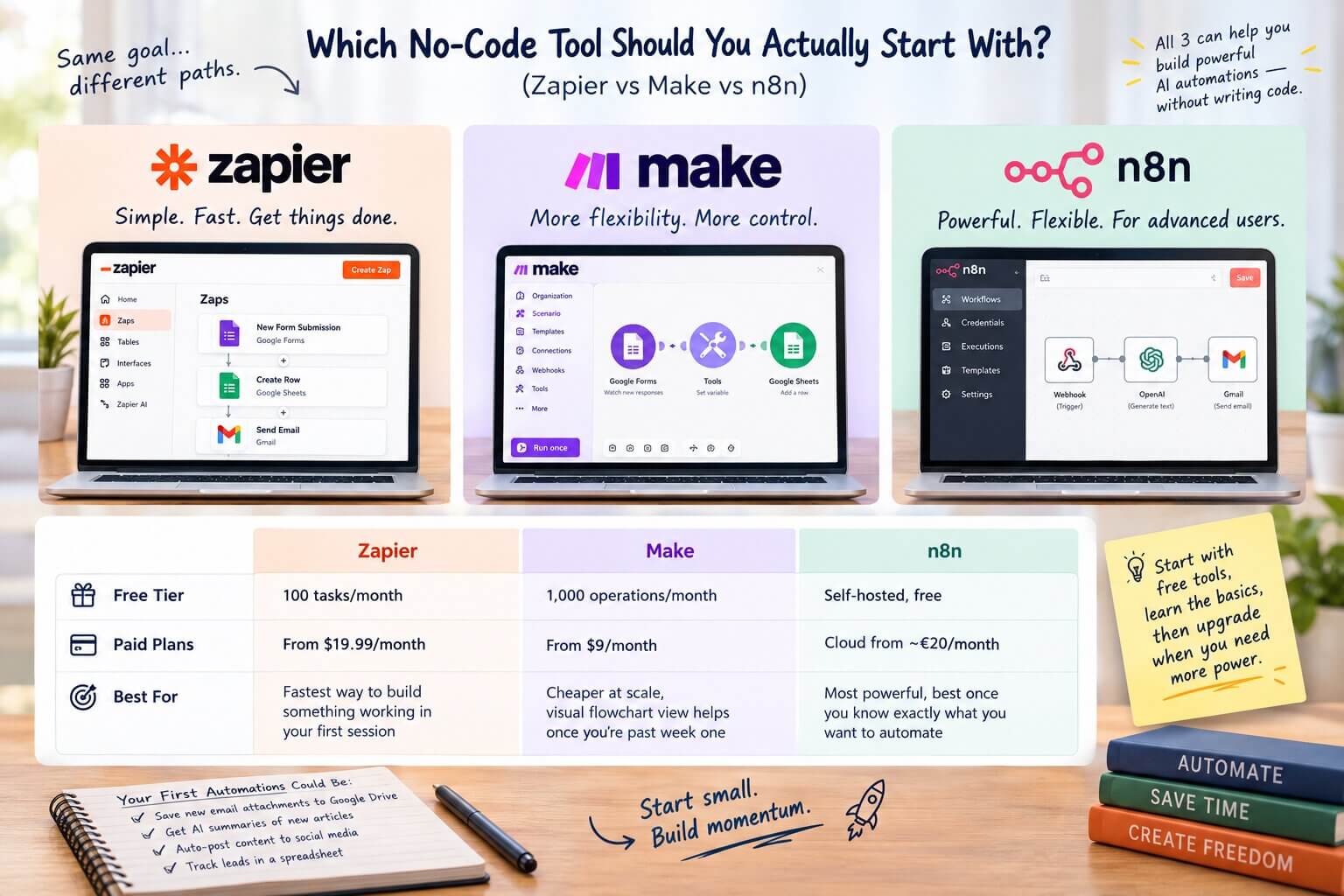
| Tool | Free Tier | Paid Plans | Best For |
|---|---|---|---|
| Zapier | 100 tasks/month | From $19.99/month | Fastest way to build something working in your first session |
| Make | 1,000 operations/month | From $9/month | Cheaper at scale, visual flowchart view helps once you’re past week one |
| n8n | Self-hosted, free | Cloud from ~€20/month | Most powerful, best once you know exactly what you want to automate |
If you genuinely don't know where to start: pick Zapier. It's the one that gets you to "I built something" fastest, which matters more in week one than picking the theoretically most powerful tool. You can always move to Make or n8n later once you know what you're automating and why.
What Kind of Automations Can You Actually Build and Sell as a Beginner?
Forget AI agents that run your life. Start boring. Boring is what gets paid.
- Missed-call text-back. A small business misses a call, the customer gets an automatic text within a minute asking how they can help. This alone solves a real revenue leak for service businesses — plumbers, salons, gyms.
- Lead capture to CRM. Someone fills out a website form, and instead of it sitting in an inbox, it's instantly added to a spreadsheet or CRM, with a follow-up email triggered automatically.
- Review request follow-up. A few days after a service is completed, the customer automatically gets a text or email asking for a Google review.
- AI-assisted social post drafting. A business shares a rough idea in a form, and an automation runs it through ChatGPT to draft three post variations, dropped into a shared doc for their approval.
Every one of these takes an afternoon to build once you know the tool. None of them require you to understand machine learning. They all solve a problem a real business already has and already loses money over.
What Building #1 Actually Looks Like in Zapier
- Trigger: a new missed call comes in (via your phone provider's app or a call-tracking tool like CallRail).
- Action: send an automatic SMS through a texting app like Twilio or a CRM's built-in texting feature.
- Action: log the missed call and the customer's number in a spreadsheet or CRM so nothing falls through the cracks.
That's three steps. No code, no AI model required — just three connected apps. Add an AI step later (having ChatGPT draft a more personalized response based on the time of day or type of business) once the basic version is working and the client trusts it.
Only Have 5 Hours a Week? Here's How to Actually Fit This In
Most "side hustle" content assumes you have evenings and weekends free. You probably don't. Here's a version that works around a full-time job:
- Hour 1: Learn the tool. Watch one official tutorial, not five random ones.
- Hours 2–3: Build one practice automation — for yourself, your own inbox, or a friend's small business, no pressure to sell it yet.
- Hour 4: Refine it until it actually works without you babysitting it.
- Hour 5: Reach out to one potential client, or post about what you built somewhere people might see it.
That's a full week's cycle. Repeat it for four weeks and you'll have four working automations and at least a handful of outreach attempts — more than most people manage in three months of "researching."
How Do You Land Your First Client With No Portfolio?
You build the portfolio first, then you sell it.
Pick one small, boring problem — missed-call text-back is a good default — and build it for yourself or, better, offer to build it free for one real local business in exchange for permission to use it as a case study. Record a short screen video showing the "before" (manual, slow) and "after" (automated, instant).
Then approach one similar business with that specific video. Not "I do AI automation," but "I noticed you probably lose leads when nobody answers the phone — here's a 90-second video of how I fixed that for [other business]." Specificity sells. Vague credentials don't.
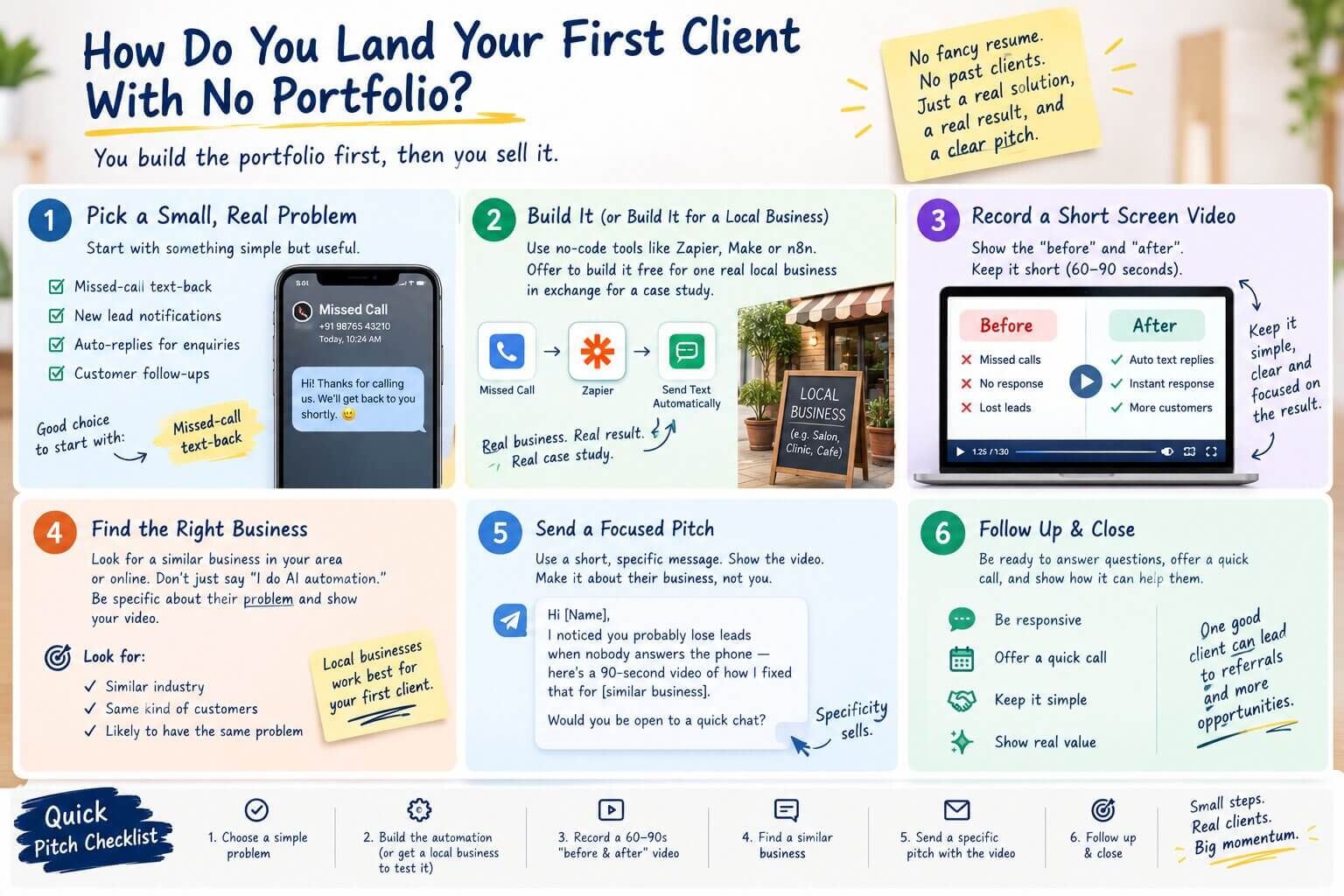
This is a starting method, not the whole system — but it's enough to get your first paying client without pretending you have experience you don't.
A Few Things That Make the First Pitch Land Better
- Lead with the business's problem, not your tool list. "I noticed you might be missing calls after hours" beats "I do Zapier automations" every time.
- Show, don't describe. A 60–90 second screen recording of the automation actually running beats a paragraph explaining it.
- Offer the first build at a reduced rate or free, but never call it "free forever." Frame it as a pilot: "Let's get this working for you at no cost, and if it's useful, we can talk about a small monthly fee to keep it running and maintained."
- Expect most people to say no or ignore you. This isn't a reflection of your skill — cold outreach has a low hit rate for everyone, including people who've done this for years.
What You'll Actually Make (Realistic Expectations)
Here's the part the "$10k/month with n8n" thumbnails skip entirely: most beginners make $0 in their first month. That's normal, not a sign you're doing it wrong. The person selling you the course made their money selling the course — not from doing the automation work themselves.
Realistic ranges, based on where most beginners actually land:
- Month 1: $0–$200. You're mostly building practice automations and making your first pitches. Don't expect income yet — expect a working portfolio piece.
- Month 3: $200–$500, if one or two small paid builds land. This usually comes from a single client willing to pay for a straightforward automation once they've seen proof it works.
- Month 6: $300–$800/month, once you have a couple of repeat clients or a small retainer arrangement for ongoing maintenance.
Effort required to realistically hit the month-3 range: about 5–8 hours a week, consistently. Not five hours one week and zero the next three.
This is not passive income. Every automation you build for a client needs occasional maintenance when an app updates or a workflow breaks — that's part of what you're being paid for, not a bug in the plan.
To put real numbers on it: a single missed-call text-back automation for one small business might reasonably charge $150–$300 to build, plus $30–$75/month to maintain and cover the automation tool's usage costs. Land three clients like that over six months — realistic for someone putting in 5–8 hours a week — and you're at roughly $90–$225/month in maintenance retainers alone, before counting new build fees. That's the intermediate range in action: not overnight, not passive, but real and repeatable.
If you're deciding whether to sell this as one-off client work or package it into something reusable, deciding between selling this as a service or a template is worth reading before you set your pricing.
Frequently Asked Questions
What to Do Right Now
Pick Zapier or Make, sign up for the free plan, and build one automation for yourself today — no client, no pressure, just something that actually works by the time you close your laptop.
KEEP READING
Want a wider view of what's realistic across AI side hustles?
See what a beginner can realistically earn with AI in the first 30 days, and where automation fits into the wider AI earning roadmap.
This is a Level 1 guide. If you're brand new to earning with AI in general, you don't need any prior experience to get started. For a broader look at which AI tools are actually worth paying for at this stage, see the only AI tools worth paying for as a beginner.
Join the discussion
Sign in to leave a comment or reply
No comments yet
Be the first to share your thoughts!