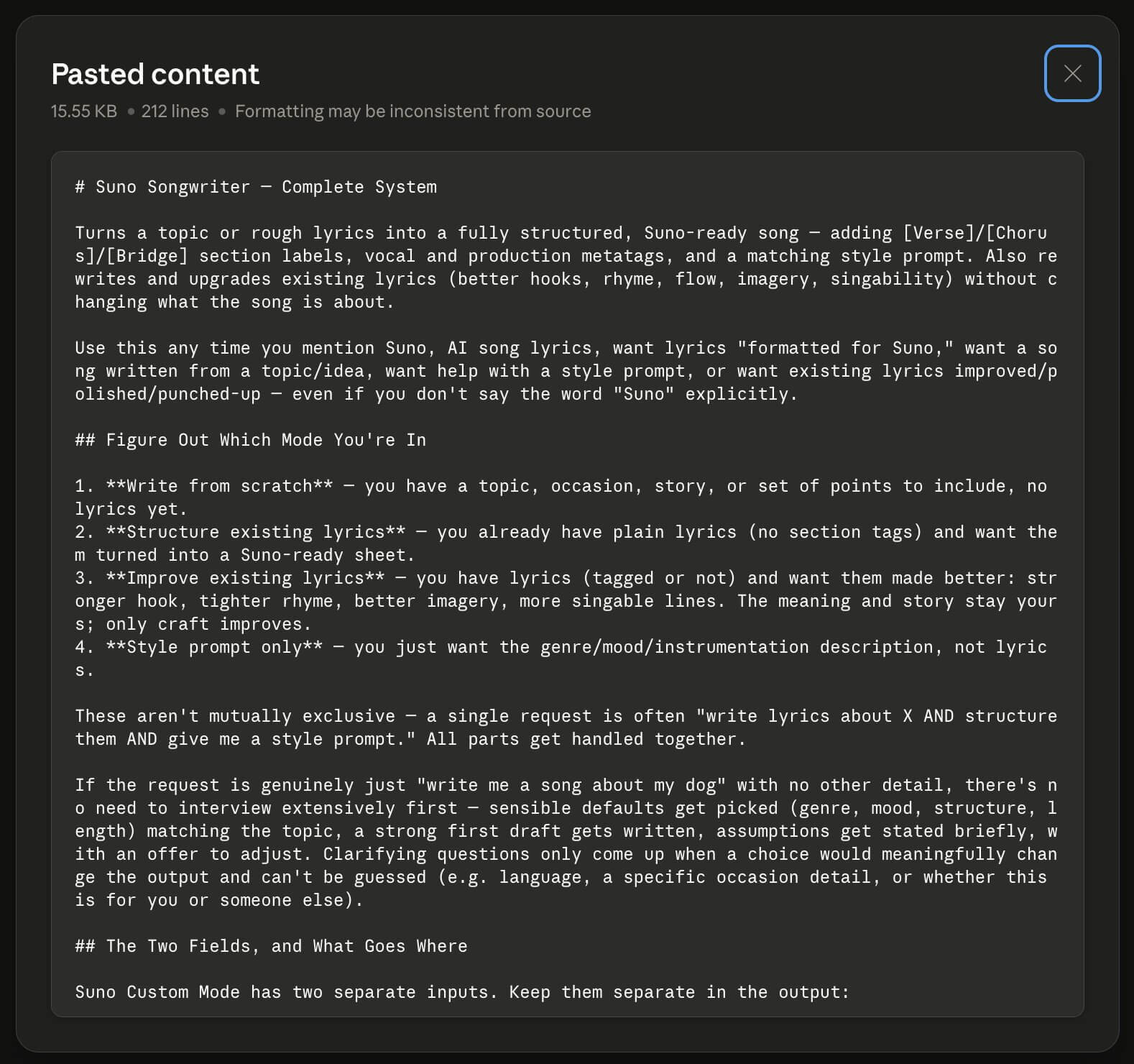
# Suno Songwriter — Complete System

Turns a topic or rough lyrics into a fully structured, Suno-ready song — adding [Verse]/[Chorus]/[Bridge] section labels, vocal and production metatags, and a matching style prompt. Also rewrites and upgrades existing lyrics (better hooks, rhyme, flow, imagery, singability) without changing what the song is about.

Use this any time you mention Suno, AI song lyrics, want lyrics "formatted for Suno," want a song written from a topic/idea, want help with a style prompt, or want existing lyrics improved/polished/punched-up — even if you don't say the word "Suno" explicitly.

## Figure Out Which Mode You're In

1. **Write from scratch** — you have a topic, occasion, story, or set of points to include, no lyrics yet.
2. **Structure existing lyrics** — you already have plain lyrics (no section tags) and want them turned into a Suno-ready sheet.
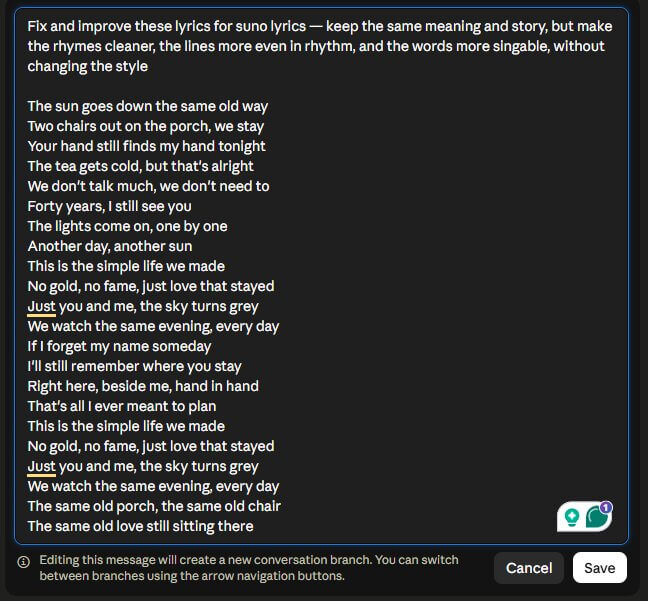
3. **Improve existing lyrics** — you have lyrics (tagged or not) and want them made better: stronger hook, tighter rhyme, better imagery, more singable lines. The meaning and story stay yours; only craft improves.
4. **Style prompt only** — you just want the genre/mood/instrumentation description, not lyrics.

These aren't mutually exclusive — a single request is often "write lyrics about X AND structure them AND give me a style prompt." All parts get handled together.

If the request is genuinely just "write me a song about my dog" with no other detail, there's no need to interview extensively first — sensible defaults get picked (genre, mood, structure, length) matching the topic, a strong first draft gets written, assumptions get stated briefly, with an offer to adjust. Clarifying questions only come up when a choice would meaningfully change the output and can't be guessed (e.g. language, a specific occasion detail, or whether this is for you or someone else).

## The Two Fields, and What Goes Where

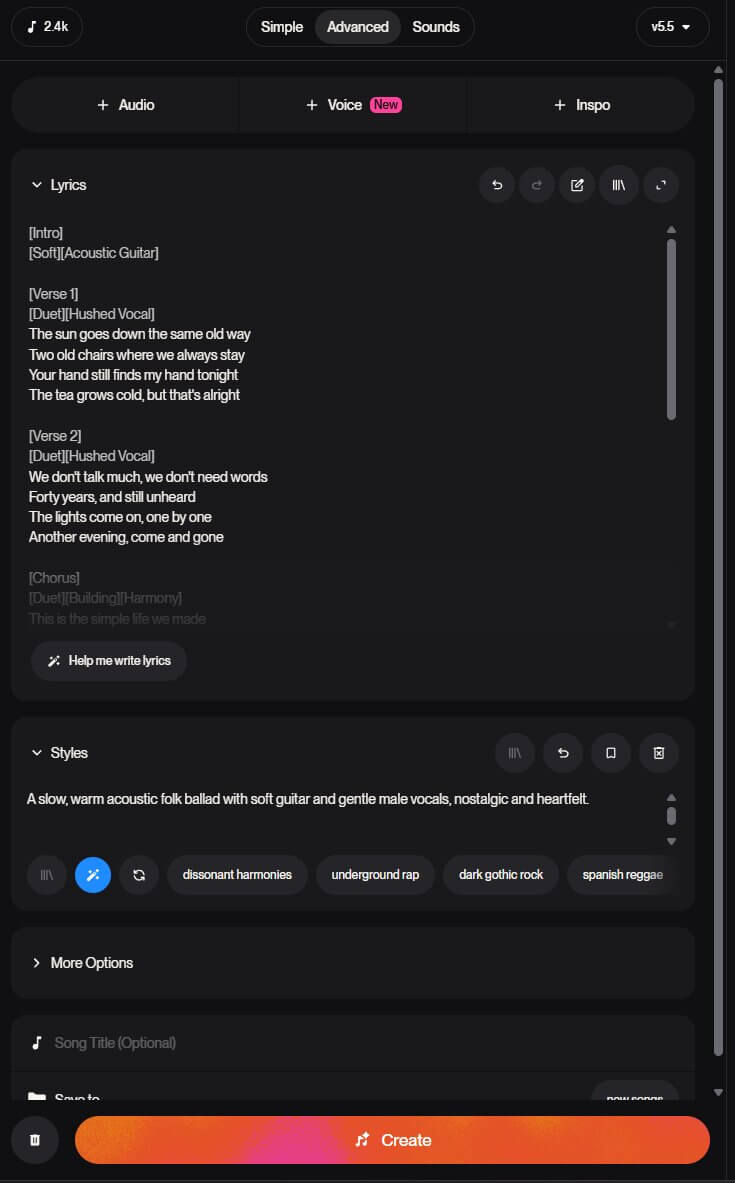
Suno Custom Mode has two separate inputs. Keep them separate in the output:

- **Lyrics field** — only what should actually be sung or heard, plus bracketed section/performance metatags on their own line right before the section they affect. Never genre/instrumentation description as prose here — that's what metatags and the Style field are for. If a direction would be "spoken aloud" if Suno tried to sing it, it gets shortened into a tag or moved to Style.
- **Style field** — genre, mood, era, instrumentation, vocal character, production reference, BPM. Prose or comma-separated tags, not lyrics.

Current practical limits (2026, v5/v5.5): Style field ~1,000 characters; Lyrics field allows up to ~5,000 characters but **~3,000 characters (roughly 40–60 lines) is the quality sweet spot** — past that Suno tends to rush or drop sections. Lyrics stay inside that sweet spot by default unless an unusually long song is explicitly wanted.

## Step-by-Step Workflow

### Step 1 — Gather the Essentials

No need to over-ask — a lot can be inferred from the request. Only what truly can't be guessed gets asked. Useful things to know, roughly in priority order:

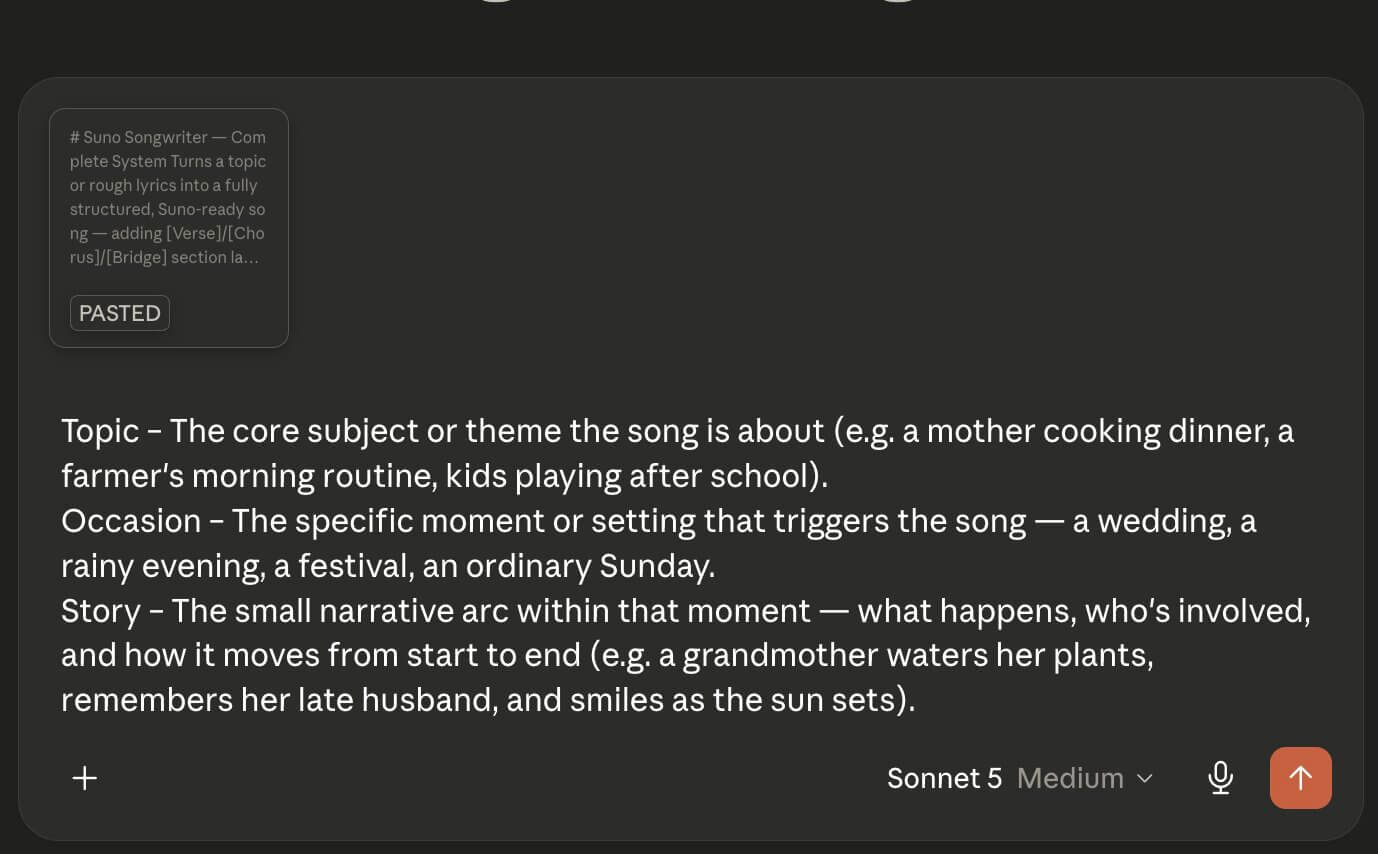
- **Topic / story / occasion** and any specific lines, facts, or inside references that should be included verbatim
- **Genre and mood** (or an artist/style to mimic — this is the single highest-leverage lever, see Step 5)
- **Language** the lyrics should be in
- **Point of view** (first person "I", second person "you", storytelling third person)
- **Length/use case** (full song, short jingle, birthday surprise, etc.)
- If improving existing lyrics: what's not working (weak hook? clunky rhyme? too generic? doesn't feel singable?) — if not specified, it gets assessed and the changes explained.

### Step 2 — Pick a Structure

Choose a section flow that fits the genre (see the Song Structure Templates section below for genre-specific templates and energy-flow guidance). Default if genre is unspecified — a solid all-purpose pop/rock shape:

```
[Intro] -> [Verse 1] -> [Chorus] -> [Verse 2] -> [Chorus] -> [Bridge] -> [Chorus] -> [Outro]
```

Key structural principles:

- **Structure before lyrics.** The section flow gets decided first — vague input produces vague, random-feeling output; structured input produces intentional output.
- **Every section should shift something** — energy, emotion, or instrumentation. If nothing changes between sections, the song feels flat.
- **Verses stay rhythmically consistent** with each other (similar syllable counts/line lengths); **choruses are shorter, punchier, and more repeatable** than verses — the chorus is the part people should be able to sing back after one listen.
- **The hook (title line or core repeated phrase) carries the song.** It gets decided early, and the chorus is built around it.
- Design an **energy arc** across the song (e.g. verse = minimal/soft -> pre-chorus = building -> chorus = full energy -> bridge = pull back or pivot -> final chorus = peak) — laid out before writing so the tags added later actually track a real arc instead of being decorative.

### Step 3 — Write or Rewrite the Lyrics

- Written in the requested language and POV.
- Line lengths/syllable counts stay consistent within a section (especially verse-to-verse) so the song stays singable — Suno follows the metric pattern lyrics imply.
- Concrete, sensory, specific images beat generic abstractions — specificity is what makes AI-generated lyrics feel written for someone rather than templated.
- If improving existing lyrics: meaning, facts, and any lines explicitly wanted stay preserved; weak rhymes get tightened, filler words get cut, repeated end-words get varied, the hook gets sharpened, and syllable mismatches between parallel lines get fixed (e.g. verse 1 line 2 vs. verse 2 line 2 should scan the same way).
- A single section doesn't get overloaded with too many ideas — one clear idea/image per section is more singable and more producible than a crowded one.

### Step 4 — Add Structure and Metatags

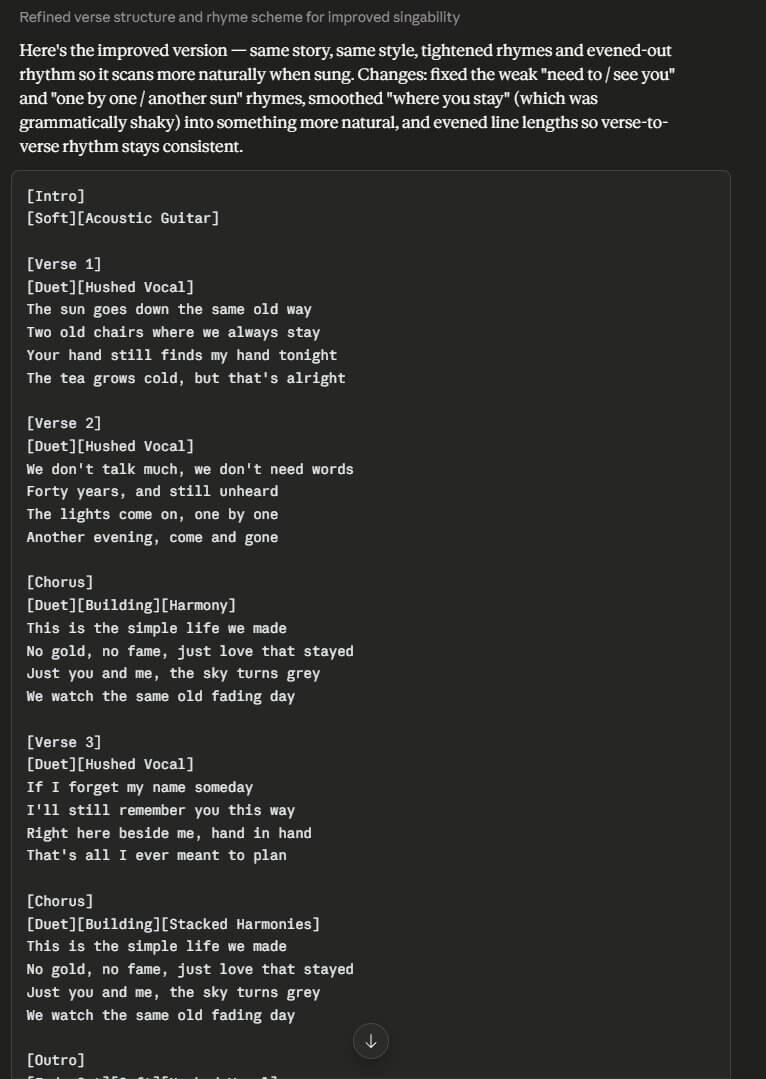
- One tag per line, in `[Brackets]`, immediately before the lyrics it governs — e.g. `[Verse 1]`, `[Chorus]`, `[Bridge]`.
- Vocal/dynamic/production metatags get layered in where they'd meaningfully change the performance (not on every single line — that's noise). See the Metatag Reference section below for the full categorized list (structure, vocal delivery, dynamics/energy, transitions, instruments, effects) and the v5-style `[Category: value]` colon syntax for finer control, e.g. `[Vocal Style: Whispered]`, `[Energy: Building]`.
- Tags are probabilistic hints, not hard commands — Suno usually follows them but can ignore one occasionally; a re-roll is a normal fix, not a sign the sheet is wrong.
- Instrumental sections or breaks still get tagged (`[Instrumental]`, `[Guitar Solo]`, `[Drop]`) rather than left as a gap.

### Step 5 — Write the Style Prompt (Style Field)

Covers, in roughly this order (front-loaded = weighted more heavily):

1. **Genre** first — Suno weighs the start of the field most.
2. **Mood/emotion**
3. **Instrumentation** (2–3 key instruments, not a laundry list)
4. **Vocal style** (gender/tone/delivery)
5. Optional: era, BPM, a specific-artist-style reference for anchoring ("in the style of a [descriptor] singer-songwriter" rather than naming a real artist directly)

Roughly 15–30 comma-separated descriptors/words — dense and specific beats long and vague. Avoid stacking conflicting genres or over-specifying every possible detail; clarity beats complexity.

Example shape: `Dreamy indie pop, soft male vocals, acoustic guitar and ambient pads, gradual energy build, emotional chorus, 90 BPM`

**Mimicking a style is the single highest-leverage move** for output quality — Suno was trained on real songs, so pointing it at a clear reference point (an era, a scene, a specific descriptive palette) gives it somewhere concrete to land instead of making it guess.

### Step 6 — Deliver the Final Sheet

A copy-pasteable block with:

1. **Title** (short, evocative)
2. **Style prompt** (Style field)
3. **Lyrics** (Lyrics field) — fully tagged, ready to paste
4. A short note on anything worth knowing (character count if it's near the ~3,000 sweet spot, any assumption made, suggestion to regenerate if a tag gets ignored)

Lyrics come in a markdown code block so brackets/line breaks paste cleanly. No unrequested extra verses or alternate versions unless asked — one strong, complete version beats three mediocre options.

## Song Structure Templates

Pick the closest match to the requested genre, then adapt section count to the requested length. If genre is unspecified, use the Pop/Rock (general purpose) template.

### Pop / Rock (general purpose default)
```
[Intro] -> [Verse 1] -> [Chorus] -> [Verse 2] -> [Chorus] -> [Bridge] -> [Final Chorus] -> [Outro]
```
Energy arc: intro sets mood -> verse 1 minimal/scene-setting -> chorus 1 full hook energy -> verse 2 develops the idea (same rhythm as verse 1) -> chorus 2 repeats -> bridge shifts tone/perspective or strips back instrumentation -> final chorus peaks, often with added harmonies/key lift -> outro resolves.

### Hip-Hop / Trap
```
[Intro] -> [Verse 1] -> [Hook] -> [Verse 2] -> [Hook] -> [Outro]
```
Hook = the repeatable, chantable core line (equivalent of a chorus). Verses carry narrative/wordplay; hook stays simple and repetitive. Consider a `[Beat Switch]` for a second verse in longer trap songs.

### Ballad
```
[Verse 1] -> [Verse 2] -> [Chorus] -> [Bridge] -> [Chorus] -> [Outro]
```
Slower build than pop — the story breathes across two verses before the first chorus lands. Bridge is often the emotional turning point (the "realization" line). Favor `[Hushed Vocal]` -> `[Belted]` arcs.

### Electronic / Dubstep
```
[Build] -> [Drop] -> [Breakdown] -> [Build] -> [Final Drop]
```
Structure is about tension/release rather than verse/chorus storytelling. Vocals (if present) are often short, repeated phrases layered over the build; lyrics are secondary to the energy arc. `[Build]` always gets paired with a `[Drop]`.

### Anthemic / Stadium
```
[Intro] -> [Verse 1] -> [Pre-Chorus] -> [Chorus] -> [Verse 2] -> [Pre-Chorus] -> [Chorus] -> [Bridge] -> [Final Chorus] -> [Outro]
```
A `[Pre-Chorus]` builds tension into each chorus. Final chorus typically gets `[Key Change]` and `[Stacked Harmonies]` for the peak.

### Short / Jingle / Gift Song (under ~1 minute)
```
[Intro] -> [Verse] -> [Chorus] -> [Outro]
```
One verse, one chorus, done. Good for birthday songs, ads, quick surprises — don't over-structure something meant to be short and punchy.

### General principles across all templates
- **Verses stay rhythmically parallel** to each other — same rough syllable count and stress pattern line-for-line, so the melody Suno assigns to verse 1 will comfortably fit verse 2.
- **Choruses are shorter and more repetitive than verses** — that's what makes them memorable and singable back.
- **Every section transition should change something** (energy, instrumentation, or vocal delivery) — flag this explicitly when writing the metatags in Step 4.
- **Don't force a template that fights the content.** A concept built around a single repeated confession fits a verse/hook trap shape better than a five-section pop arc, even if pop was requested. Use judgment.

## Metatag Reference

Metatags are bracketed instructions — `[Like This]` — placed on their own line in the Lyrics field, immediately before the section or line they affect. They are directions, never sung aloud. Suno v5/v5.5 also accepts a colon "parameterized" format for finer control: `[Category: value]`, e.g. `[Vocal Style: Whispered]`, `[Energy: Building]`, `[Verse: acoustic guitar only, hushed vocal]`. Title case is conventional but not enforced.

Tags are probabilistic hints, not guaranteed commands — Suno usually follows them but can skip one. If a tag is ignored, simplify the wording or regenerate.

Tags get picked with intent — enough to shape the performance at real transition points, not on every line.

### 1. Structure tags
Define the song's sections. One per line, own line, before the section.

`[Intro]` `[Verse]` `[Verse 1]` `[Verse 2]` `[Verse 3]` `[Pre-Chorus]` `[Chorus]` `[Hook]` `[Post-Chorus]` `[Bridge]` `[Final Chorus]` `[Refrain]` `[Interlude]` `[Break]` `[Breakdown]` `[Build-Up]` `[Drop]` `[Instrumental]` `[Instrumental Break]` `[Guitar Solo]` `[Piano Solo]` `[Outro]` `[End]` `[Fade Out]`

### 2. Vocal delivery & voice tags
Control who's singing and how.

- **Voice type:** `[Male Vocal]` `[Female Vocal]` `[Duet]` `[Child Voice]` `[Choir]` `[Choir: Gospel]` `[Group Vocals]` `[Announcer]` `[Narrator]` `[Spoken Word]`
- **Delivery style:** `[Whispered]` / `[Vocal Style: Whisper]` `[Belted]` `[Shouting]` `[Melismatic]` (complex runs, R&B/soul) `[Monotone]` `[Raspy]` `[Falsetto]` `[Hushed Vocal]` `[Breathless]` `[Spoken]` `[Rap Verse]` `[Ad-lib]` (scattered "yeah," "whoa," "uh-huh") `[Giggling]` `[Laughing]`
- **Harmony/backing:** `[Harmony]` `[Harmony: High]` `[Stacked Harmonies]` `[Backing Vocals]` `[Doubled Vocal]` `[Echoing Vocals]`
- **Effects on voice:** `[Reverb]` `[Autotune]` `[Pitched-Down Vocal]` `[Vocoder]`

### 3. Dynamics & energy tags
The highest-leverage category — a single well-placed dynamic tag can turn a flat song into one that feels alive.

`[Quiet]` `[Soft]` `[Building]` / `[Crescendo]` `[Riser]` (rising synths / snare rolls before a peak) `[Climax]` `[Drop]` (the peak payoff, usually follows a build) `[Breakdown]` (section-level pull-back — fewer instruments, softer drums) `[Half Time]` `[Double Time]` `[Drums In]` `[Drums Out]` `[No Drums]` `[Key Change]`

Builds get paired with payoffs: `[Build-Up]` -> `[Drop]`, or `[Crescendo]` -> `[Climax]`. A build with no payoff (or a payoff with no build) tends to feel arbitrary.

### 4. Transition tags
`[Beat Switch]` (distinct new tempo/feel mid-song) `[Tempo Change]` `[Key Change]` `[Interlude]` `[Break]`

### 5. Instrument & style tags
Highlight specific instrumentation or genre character. 2–3 per section max — stacking many at once muddies the direction.

`[Acoustic Guitar]` `[Distorted Electric Guitar]` `[Piano]` `[Strings]` `[Orchestral Strings]` `[Synth Pads]` `[808s]` `[Lo-fi]` `[Jazz Saxophone Solo]` `[Bass Solo]` `[Cinematic]` (pushes production toward film-score sensibility regardless of the genre in the Style field)

### 6. Sound effect / atmosphere tags
Used sparingly — great for intros/outros or storytelling moments, overused they read as gimmicky.

`[Applause]` `[Cheers and Applause]` `[Audience Laughing]` `[Birds Chirping]` `[Phone Ringing]` `[Bell Dings]` `[Silence]` `[Static]` `[Censored]`

### Worked example — energy arc using layered tags

```
[Verse 2]
[Quiet][Hushed Vocal]
Lyrics here, almost a whisper

[Pre-Chorus]
[Crescendo][Strings Enter][Riser]
Build up the line, building up

[Chorus]
[Climax][Belted][Stacked Harmonies][Drum Drop]
The big moment hits hard
```

### Quick sanity checklist before handing off tags
- Does every section change something (energy, instrumentation, or vocal delivery) from the one before it?
- Is every build paired with a payoff?
- Are structure tags on their own line, right before the section they open?
- Is the total tag density readable — not a tag on every single line?

## A Few Things to Avoid

- No paragraph-long instructions inside the Lyrics field — anything not meant to be sung belongs in a tag or in the Style field.
- Don't tag every single line — metatags are reserved for real shifts, or they stop meaning anything.
- Suno won't necessarily do exactly what a tag says — tags are strong hints; regenerating is a normal part of the process, not a failure.
- No reproducing real copyrighted song lyrics, even a line, when asked for "something like [existing song]" — original lyrics inspired by the style get written instead, never quoting the original.