

Introduction: Why Learn Prompt Engineering?
Writing good prompts is a big part of getting useful answers from AI tools like ChatGPT or image generators. With a few basic prompt engineering skills, you can help AI give you results that fit your needs much better.
Here are the five key principles — each with beginner-friendly examples for both text and image AI.
Principle 1: Give Clear Direction
AI does exactly what you ask — but it can only guess if you're not specific. If your prompt is too open, results may seem random or miss the mark entirely.
Example: Vague vs. Specific Prompt
Starting with a simple, open request:
Prompt
Give me 10 coffee brand names.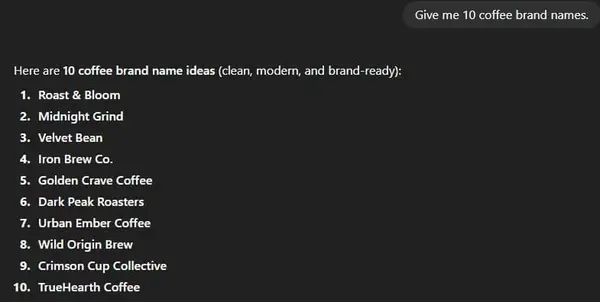
You'll get a list, but many names might be plain or not match your desired style. Adding direction changes everything:
Prompt
Give me 10 creative coffee brand names in the style of Starbucks.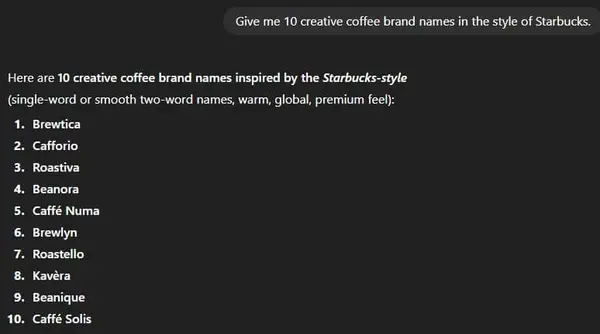
Suddenly, the names sound more modern and on-brand. You can swap out "in the style of Starbucks" for "in the style of an Italian café" or "in the style of Elon Musk" to get completely different results. This one small nudge makes a huge difference.
Principle 2: Specify Format and Style
Telling the AI what you want is important, but telling it how you want it is just as critical. This is about format — the structure, style, and presentation of the output.
Example: Image Prompt Comparison


Prompt
A realistic photo of a hot cup of coffee on a wooden table, morning sunlight, shallow depth of field.Format details to include in your image prompts:
- Image type: photo, painting, sketch, 3D render, illustration
- Camera angle: top view, close-up, wide shot, eye level
- Lighting: warm, natural, dramatic, studio, golden hour
- Mood or atmosphere: cozy, cinematic, energetic, calm
Principle 3: Use Examples
AI learns from patterns, and examples give it a precise target. When you include a sample output in your prompt, the model understands your preferred style much faster than with instructions alone.
Example: Product Descriptions
Asking without examples often produces bland results:
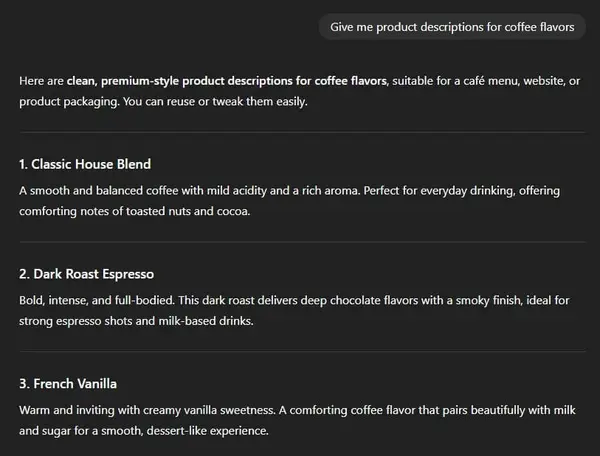
Add one to three samples in your prompt to show the AI your preferred style:
Prompt
Write short product descriptions for coffee flavors. Follow this style:

- Morning Bliss: Smooth and rich, with a nutty aroma.
- Midnight Roast: Deep, dark chocolate notes.

Now write three more in the same style.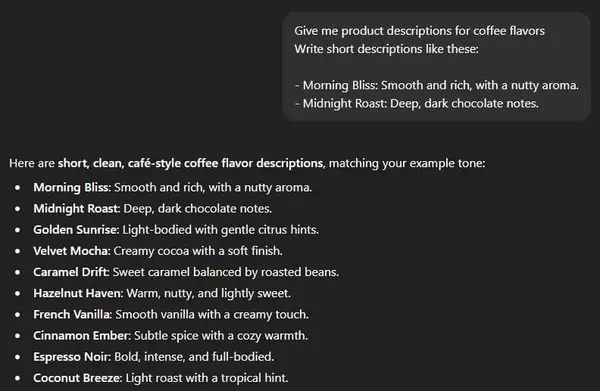
Principle 4: Test and Refine Your Prompts
Don't settle for the first result. Try your prompt several times to check for consistency and quality. AI can sometimes drift off-topic, produce awkward phrasing, or miss a format requirement.
How to Evaluate Your Prompt
- Does the AI stick to your requested format (number of items, structure)?
- Are there mistakes — wrong quantity, off-topic content, or incorrect style?
- Does the mood, voice, or visual style match your goal?
If something seems off — for example, the AI gives five names when you asked for three — adjust your prompt and run it again. This is a normal, expected part of working with AI, not a failure.
Principle 5: Break Big Tasks into Steps
AI performs best when you give it one clear, focused job at a time. When you combine multiple complex tasks into a single prompt, the quality of each part usually drops.
Text Example: Step-by-Step vs. All at Once
Instead of asking everything at once:
✗ "Create and rate 10 coffee flavor names in one go."
Break it into sequential steps:
- "Give me 10 creative coffee flavor names."
- "Now rate these names for catchiness and uniqueness in a table format."
- "Write a short tagline for the top three."
This gives you control at each stage. You can review and adjust before moving on, catch mistakes early, and build on good results — rather than starting everything over from scratch.
Frequently Asked Questions
Final Thoughts
Prompt engineering is not magic — it's about being clear, specific, and methodical. Whether you're using ChatGPT for text or an image workflow in ComfyUI, these five principles help you get better, more reliable results every time:
- Give clear direction — be specific about what you want.
- Specify the format — describe how the output should look.
- Use examples — show your preferred style with 1–3 samples.
- Test and adjust — iterate until results are consistent.
- Break big tasks into steps — give AI one focused job at a time.
Even small changes in how you write a prompt can lead to dramatically better results. Start applying these principles in your next AI session and you'll notice the difference immediately.
Join the discussion
Sign in to leave a comment or reply
No comments yet
Be the first to share your thoughts!