

⚡ Quick Answer
ComfyUI is a free program you install on your own computer. MidJourney is a paid online tool that costs $10–$120 every month. In 2026, five things are pulling people away from MidJourney and toward ComfyUI: it costs nothing, it gives you more control, the free models are now just as good, your images stay private, and new AI models show up in ComfyUI almost immediately. This guide walks through all five, in plain English, with real numbers.
If you've never used either tool before, here's the short version: MidJourney is a website where you type a sentence describing an image, and it generates that image for you — simple, but you pay a monthly fee and you can't change much about how it works. ComfyUI is a free program that runs on your own computer, where you build your own image-generation process piece by piece — more setup, but free forever and fully under your control.
In 2026, a MidJourney Pro subscription costs $720 a year. Meanwhile, ComfyUI running a free AI model called FLUX 1.1 Pro can match MidJourney's photo-realism quality for $0. That single fact is why more and more people are quietly making the switch. Below are the five specific reasons why, explained simply, with the real numbers behind each one.
Reason 1: ComfyUI Costs Nothing, Ever
Let's start with the simplest reason: money.
A subscription means you pay a set amount every month to keep using a service — if you stop paying, you lose access. MidJourney only offers subscriptions. There is no free version in 2026. Here's exactly what each tier costs:
| Plan | Monthly Cost | Yearly Cost |
|---|---|---|
| ComfyUI | Free | $0 |
| MidJourney Basic | $10 | $120 |
| MidJourney Standard | $30 | $360 |
| MidJourney Pro | $60 | $720 |
| MidJourney Mega | $120 | $1,440 |
Even the cheapest plan adds up to $120 a year. If you're a hobbyist who only generates a few images a month, that might feel small. But if you're generating images regularly — for a business, for content, for practice — that bill comes whether you used it heavily that month or not.
ComfyUI has no bill at all. You download it once, for free, and every image you generate after that costs $0. The only real cost is the electricity your computer uses while it's running — which for most people is a few cents per generation, not dollars.
One thing to be upfront about: ComfyUI does need a computer with a decent graphics card (also called a GPU — the part of your computer that actually does the AI image generation). Most modern AI models need at least 8GB of VRAM (the graphics card's own memory) to run smoothly. If your computer already has a gaming-capable graphics card, you likely already meet this. If not, that's a one-time hardware cost to weigh against MidJourney's ongoing subscription.
Reason 2: You Get Full Control Over Every Step
The second reason is control — and this is the part that sounds complicated but is actually just a different way of working, once you see it.
ComfyUI is built around something called a node (a small building block — like a single LEGO piece — that does exactly one job). One node loads your AI model. Another node takes your text prompt and prepares it. Another node actually generates the image. You connect these blocks together with lines (called "wires") to build what's called a workflow — your own custom pipeline for turning a prompt into a finished image, right down to the code on ComfyUI's official GitHub repository.
Here's the difference in practice:
- In MidJourney: you type a sentence, hit enter, and the platform decides everything else behind the scenes — which version of their AI model runs, how it processes your words, what settings it uses. You can't see or change any of that.
- In ComfyUI: you can see every single step laid out in front of you as connected nodes, and you can change any of them. Want to swap which AI model runs? Change one node. Want to add a style effect? Add a new node and connect it.
This is exactly why learning a local AI tool is worth the extra effort for anyone who wants more than "type a prompt and hope for the best." Once you're comfortable with the node system, you can add extra tools that simply don't exist in MidJourney at all:
- A LoRA — a small extra file, usually downloaded for free from a site like Civitai, that changes the style of your images. For example, one LoRA might make everything look like a watercolor painting; another might make faces look more consistent across multiple images.
- ControlNet — a tool that lets you control the exact pose, layout, or outline of your image, instead of just describing it in words and hoping the AI understands.
- An IP-Adapter — a node that lets you feed in a reference photo (like a picture of a specific character or product) so the AI keeps that same look across many generations.
- SageAttention — a technical speed-up that makes generation faster on supported graphics cards, so you spend less time waiting.
You can also change the sampler (the specific method the AI uses to turn random noise into your finished picture, step by step). Different samplers trade off speed against quality. In MidJourney, this decision is made for you, silently, every single time. In ComfyUI, it's your choice.
Reason 3: 2026's Open Models Already Match (or Beat) MidJourney
The third reason is quality — and this is the one that's changed the most in the last two years.
A diffusion model is the type of AI system that actually creates the image — it starts with random visual noise (think TV static) and gradually refines it, step by step, into a finished picture based on your prompt. This is the technology behind almost every image generator today, including MidJourney's own system.
The difference is that some diffusion models are open — meaning anyone can download the actual model file and run it themselves for free — and some are closed, meaning only the company that built them (like MidJourney) can run them on their own servers.
FLUX 1.1 Pro is one of the best open models available in 2026. According to benchmark scores published on its Hugging Face model page (a website where AI companies publish and share their models), FLUX 1.1 Pro scores an 85% consistency rate on photorealism tests — meaning 85% of the time, it produces an image that closely matches what a real photograph of that scene would look like. MidJourney scores 78% on the same kind of test.
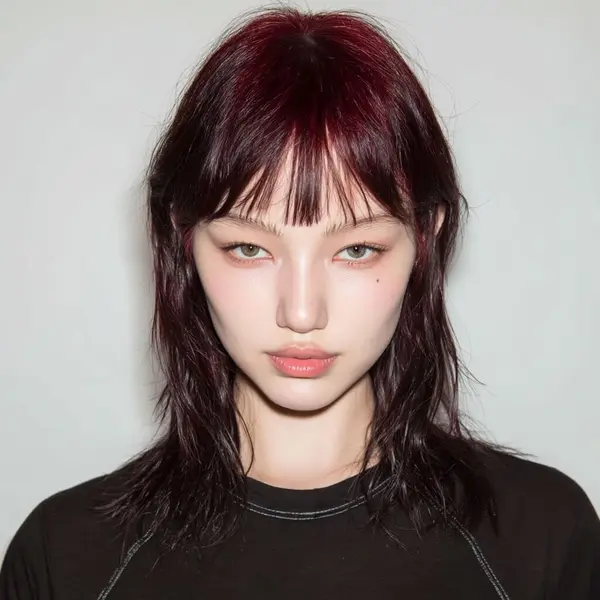

To be fair, MidJourney still wins in one specific area: pure artistic style. That moody, cinematic, "painted" look MidJourney is famous for takes almost no effort to get — just type a prompt and it appears. ComfyUI can get there too, but it usually takes more prompt tweaking. Where ComfyUI clearly pulls ahead is realistic photography, product shots, and scenes meant to look like they were actually photographed.

FLUX isn't your only free option, either. Krea 2, which you can run inside ComfyUI, is another strong 2026 model — it has a "raw" mode for maximum photo detail and a faster "Turbo" mode for when you want to try lots of ideas quickly. There's also the Z-Image workflow, a newer model built to generate images fast without losing detail. Both are completely free once ComfyUI itself is installed.
Reason 4: Nothing Leaves Your Computer
The fourth reason is privacy, and it's a straightforward one.
ComfyUI runs entirely on your own computer. That means your prompts, any reference photos you upload, and every image you generate stay on your hard drive. Nothing is sent anywhere unless you personally choose to share it.
MidJourney works the opposite way. It only runs in the cloud, meaning every prompt you type and every image you generate has to travel to MidJourney's servers to be processed. That's governed by their terms of service (the rules you agree to when you sign up, which decide how your data can be stored and used).
This matters most in a few specific situations: if you're doing client work where the client expects confidentiality, if you're using personal photos (like family pictures) as reference images, or if you simply don't want your creative work passing through someone else's servers. With ComfyUI, that question doesn't come up — there's nothing to send anywhere in the first place.
Reason 5: New Models Land in ComfyUI Days After Release
The fifth reason is speed — specifically, how quickly you get access to the newest AI technology.
Open-source means the underlying code and model files are published publicly, so anyone can use, study, or improve them. When a new open-source model comes out — for example, an updated version of FLUX, or a new WAN video model — the ComfyUI community typically builds a working setup for it within 24 to 48 hours. As soon as that happens, anyone can download it and start using it, for free, immediately.
MidJourney doesn't work this way. It's a closed system, which means the company controls exactly which model runs on their platform and exactly when it's released to users. If a new open-source model turns out to be better than MidJourney's current version, ComfyUI users can be using it within days. MidJourney users simply have to wait for an official update — and there's no guarantee of when, or if, that update will arrive.
Ready to see these five reasons for yourself rather than just read about them? The ComfyUI Beginners Guide 2026 walks through your very first setup from a completely blank start.
See the Full ComfyUI vs MidJourney Feature Comparison
The five reasons above cover the biggest gaps, but here's the complete picture, including how DALL-E 3, Adobe Firefly, Leonardo AI, and Ideogram compare too.
Capability Radar — 2026 AI Image Generators
Scores out of 10 based on 2026 benchmarks. ComfyUI uses FLUX 1.1 Pro for photorealism tests.
Monthly Pricing Comparison (USD) — 2026
ComfyUI runs locally for free. Paid platform prices reflect entry-level to standard tiers.
| Feature | 🖥️ ComfyUI | MidJourney | DALL-E 3 | Adobe Firefly | Leonardo AI | Ideogram |
|---|---|---|---|---|---|---|
| Cost | Free — runs locally | $10–$120/month | $20/mo (ChatGPT Plus) | $10/mo (Adobe plan) | $12/mo paid tier | $8/mo paid tier |
| Free tier | ✅ Unlimited (local) | ❌ No free tier | ✅ Limited via ChatGPT | ✅ Limited credits | ✅ 150 tokens/day | ✅ 10 images/day |
| Photorealism | ⭐⭐⭐⭐⭐ (FLUX 1.1) | ⭐⭐⭐⭐ | ⭐⭐⭐ | ⭐⭐⭐⭐ | ⭐⭐⭐⭐ | ⭐⭐⭐ |
| Artistic quality | ⭐⭐⭐⭐ (model-dependent) | ⭐⭐⭐⭐⭐ | ⭐⭐⭐ | ⭐⭐⭐⭐ | ⭐⭐⭐⭐ | ⭐⭐⭐ |
| Prompt accuracy | ⭐⭐⭐⭐⭐ | ⭐⭐⭐⭐ | ⭐⭐⭐⭐⭐ | ⭐⭐⭐⭐ | ⭐⭐⭐⭐ | ⭐⭐⭐⭐⭐ |
| Text in images | ⭐⭐⭐⭐ (FLUX) | ⭐⭐ | ⭐⭐⭐⭐ | ⭐⭐⭐ | ⭐⭐⭐ | ⭐⭐⭐⭐⭐ |
| Video generation | ✅ WAN 2.2, LTX, etc. | ✅ V1 (5s clips) | ❌ | ✅ Firefly Video | ✅ Motion | ❌ |
| Privacy / local run | ✅ 100% local | ❌ Cloud only | ❌ Cloud only | ❌ Cloud only | ❌ Cloud only | ❌ Cloud only |
| Commercial license | ✅ (check model license) | ✅ (paid plans) | ✅ | ✅ Full indemnity | ✅ (paid plans) | ✅ (paid plans) |
| Learning curve | 🔴 Steep | 🟢 Easy | 🟢 Easy | 🟢 Easy | 🟡 Moderate | 🟢 Easy |
| Unlimited generations | ✅ Unlimited | Fast hour limits | Credit limits | Credit limits | Daily limits | Daily limits |
A quick note on the star ratings: they reflect how each tool performs at its main strength, not an absolute score — a technical scoring system called "benchmarking," which just means comparing tools using the same standard test.
Which Is Right for You?
There's no single right answer here — it depends on what you need:
Choose ComfyUI if...
You want maximum creative control, generate images regularly, care about privacy, or simply don’t want an ongoing monthly bill. The learning curve is real, but most beginners are comfortable within their first few sessions.
Choose MidJourney if...
You need consistently beautiful, artistic images with almost no learning required, you do a lot of quick creative work where style matters more than photorealism, and $10–$60 a month is a small cost compared to the value you get from it.
Use DALL-E 3 if...
You need the AI to follow your exact instructions very precisely — for example, "a red apple on a blue plate, seen from above" — and you already pay for ChatGPT Plus.
Use Adobe Firefly if...
You need images that are completely safe for commercial use with no copyright risk, because Firefly is trained only on licensed images and Adobe offers legal protection if any copyright issue comes up.
Use Ideogram if...
You often need readable text inside your images — like on a poster, logo, or ad — since Ideogram handles text far better than any of the other tools listed here.
Frequently Asked Questions
What to Do Next
Try it yourself — installing ComfyUI is free and takes under 15 minutes.
Once it's installed, generating your first image only takes a few more minutes — no subscription, no credit card.
What to Read Next
If cost and control are what convinced you, the ComfyUI Beginners Guide 2026 is the natural next stop — it covers installation and your first workflow end to end. Curious how ComfyUI stacks up against other tools besides MidJourney? Our ComfyUI vs Fooocus comparison is a good next read if you're also weighing a simpler local option. And once you're generating comfortably, the LoRA guide is where most people go next to start customizing their results.
— Written as a personal recommendation from the Earngenix team.
Published: 2024-11-01 · Last updated: 2026-09-25
Join the discussion
Sign in to leave a comment or reply
No comments yet
Be the first to share your thoughts!