
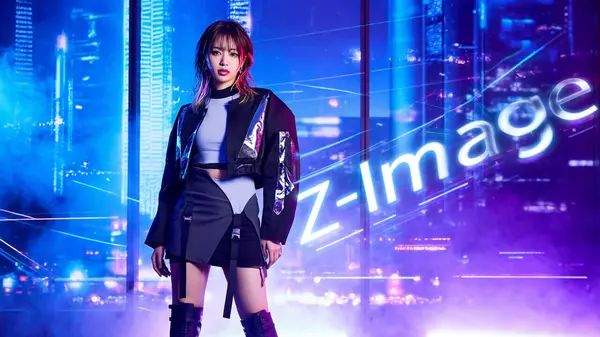
Getting Started with Z Image for Text-to-Image Generation
Z Image is a local text-to-image model built for high-quality and diverse image generation inside ComfyUI. It supports a wide range of styles — from hyper-realistic photography to cinematic art, anime, and stylized illustrations — all from text prompts. If you're looking for a flexible, capable model to run locally, Z Image is a strong choice.
What is Z Image?
Z Image is the main model in the Z Image family. It's designed for quality and creative diversity — letting you create photos, digital art, anime, and illustrations from text alone. There's also a faster variant called Z Image Turbo, but the standard Z Image model prioritises image quality and creative flexibility.
Versatile styles
Handles realistic photos, anime, cinematic art, and stylized illustrations from a single model.
Output variety
Generates more unique faces, lighting setups, and scene compositions with each run.
Sample Outputs from Z Image
Here are example results across the four main style categories. Each includes the full prompt so you can copy and use it directly in your own workflow.
Hyper-Realistic Photography
Z Image produces images that closely resemble real photographs — accurate skin texture, natural lighting, and true-to-life proportions.
Realistic Example 1 — Japanese woman in a purikura arcade booth
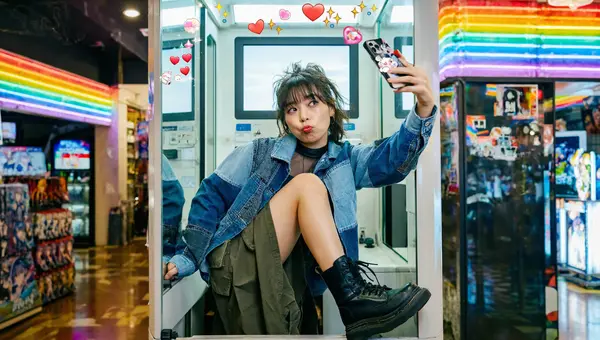
Prompt used
Ultra-realistic professional photography of a young Japanese woman taking a playful mirror selfie inside a real purikura photo booth. She has tousled bangs, slightly smudged eyelin…
Realistic Example 2 — Italian fashion model on a rooftop terrace at golden hour
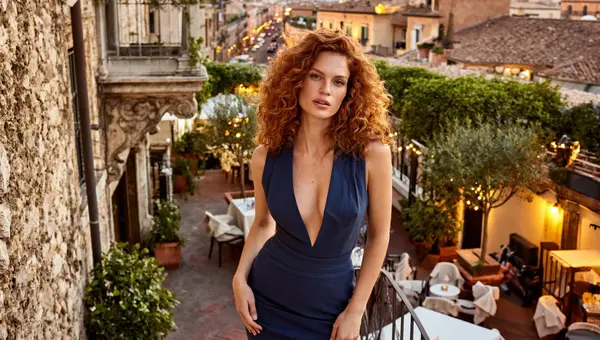
Prompt used
Ultra-realistic professional fashion photography of a 28-year-old Italian woman captured in a bold, confident moment, standing effortlessly at the center of a richly detailed Europ…
Realistic Example 3 — Mature woman, full-body studio portrait
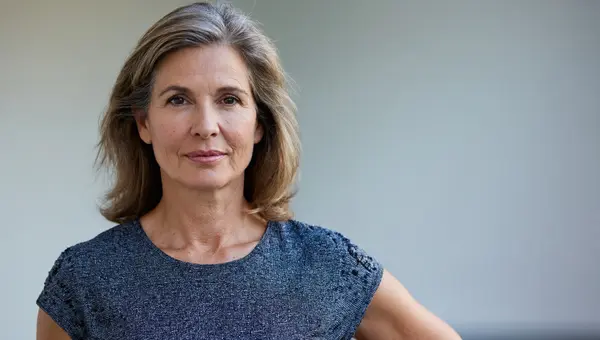
Prompt used
Ultra-realistic professional photography of a mature woman model, full-body view, standing naturally, confident and elegant posture. Natural facial proportions, realistic aging de…
Cinematic Digital Art
Z Image excels at dramatic, film-quality digital art with layered lighting, moody colour grading, and cinematic composition.
Cinematic Example 1 — Sun-drenched lifestyle drama, Mediterranean coastal town
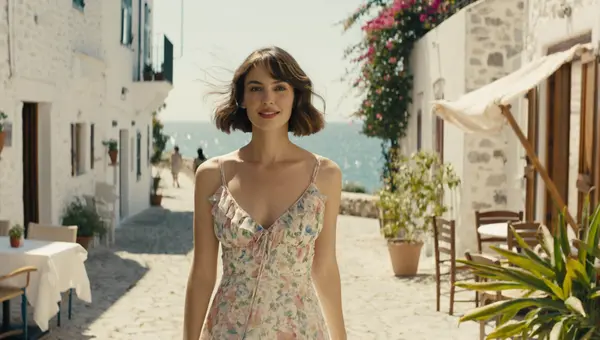
Prompt used
Cinematic art depicting a radiant, sun-drenched film still from a modern lifestyle drama, featuring a strikingly attractive 28-year-old American woman as the central character. She…
Cinematic Example 2 — Rain-soaked European street, dramatic night scene
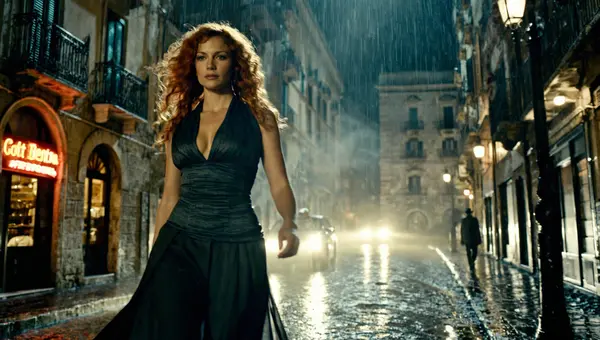
Prompt used
Cinematic art depicting a powerful, emotionally charged film still featuring a 28-year-old Italian woman as the central character, captured in a dramatic moment frozen in time. She…
Cinematic Example 3 — Action film still, urban rooftop stunt
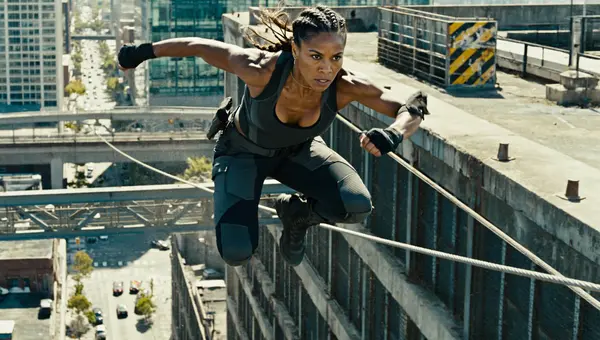
Prompt used
Cinematic art depicting a breathtaking, high-impact film still frozen at the peak of a stunt, featuring a strikingly beautiful and powerful woman of mixed Native American and Afric…
Anime & Manga Styles
Z Image handles anime and manga-inspired art with dynamic composition, bold linework, and cinematic energy.
Anime Example 1 — Mid-air battle in a flooded cyber-shrine city
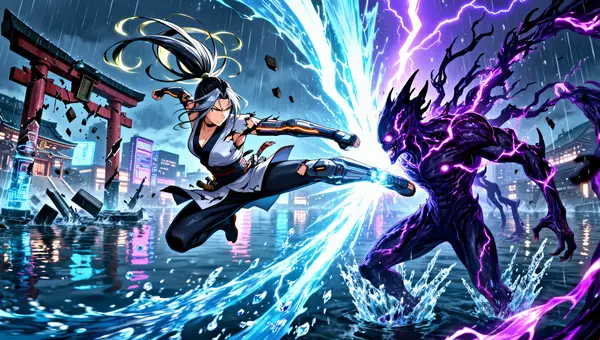
Prompt used
next-gen anime action illustration, Flux-Anime / modern anime diffusion style, ultra-dynamic cinematic frame, a 25-year-old Japanese female fighter with long silver-black hair in a…
Anime Example 2 — Rooftop parkour in cyberpunk Tokyo
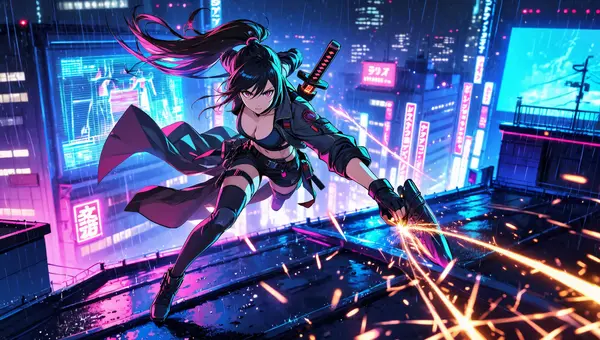
Prompt used
Anime & manga cinematic action scene, a 25-year-old Japanese woman with long flowing ponytail hair, sharp expressive anime eyes, determined confident expression, performing a mid-a…
Anime Example 3 — Karate warrior vs demonic villain in a neon dojo city
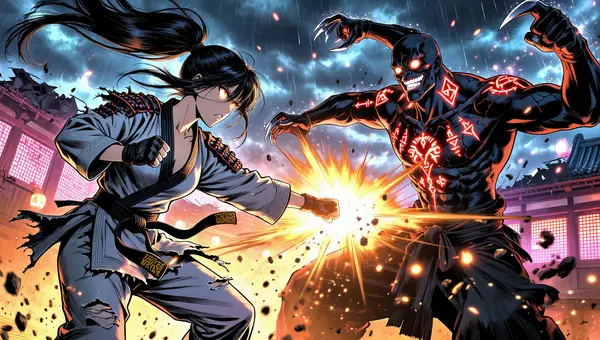
Prompt used
Anime & manga cinematic illustration, ultra-detailed mid-fight scene, a 25-year-old Japanese woman warrior with long jet-black hair tied in a flowing high ponytail, strands whippin…
Stylized Illustrations
Z Image produces creative, editorial-grade stylized illustrations that blend surrealism, fashion, and bold graphic design.
Illustration Example 1 — Southeast Asian woman in a floating surreal marketplace
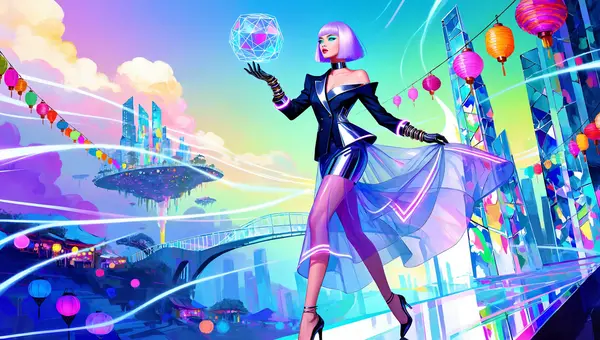
Prompt used
ultra-stylized digital illustration, modern fashion concept art fused with surrealism, vibrant and artistic composition, a 27-year-old Southeast Asian woman with asymmetrical paste…
Illustration Example 2 — Latin-American woman in a surreal floating cityscape
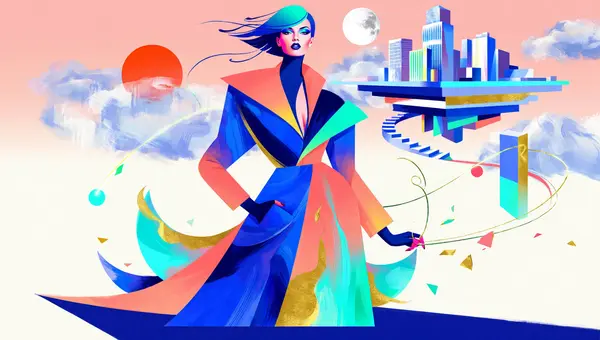
Prompt used
ultra-stylized illustration, high-fashion editorial art style, bold graphic shapes and expressive color theory, a stylish Latin-American woman around 27 years old, sharp jawline, c…
Illustration Example 3 — African-American woman in a futuristic urban surreal scene
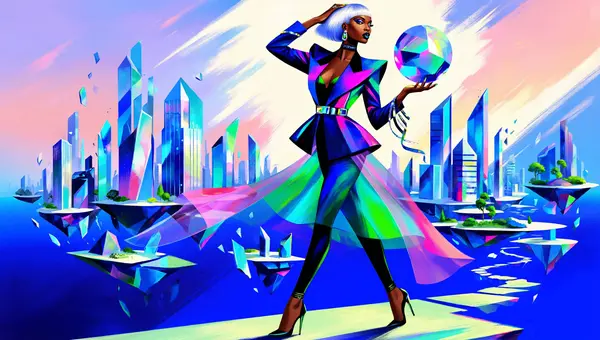
Prompt used
ultra-stylized illustration, editorial concept art meets fashion illustration, bold graphic design, a 30-year-old African-American woman with sleek platinum bob haircut, confident …
Using Z Image with ComfyUI
Setting up Z Image in ComfyUI takes about 10 minutes. Follow these steps in order.
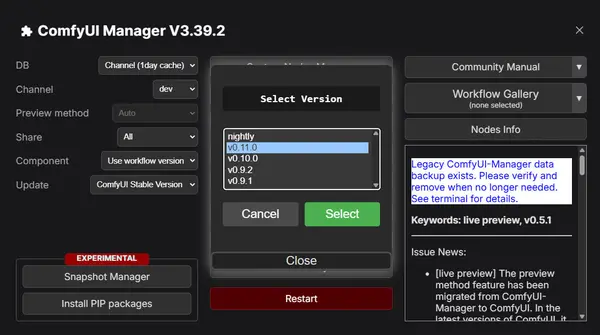
Update ComfyUI
Before installing any new model, make sure ComfyUI and all your nodes are up to date:
- Open ComfyUI Manager from inside ComfyUI.
- Click "Update All" to update all installed custom nodes.
- Restart ComfyUI after the update completes.
Download Required Models
Download all three model files from Hugging Face and place them in the correct ComfyUI subfolders:
- Text Encoder: qwen_3_4b.safetensors
- Diffusion Model: z_image_bf16.safetensors
- VAE: ae.safetensors
📂 ComfyUI/
└── 📂 models/
    ├── 📂 text_encoders/
    │   └── qwen_3_4b.safetensors
    ├── 📂 diffusion_models/
    │   └── z_image_bf16.safetensors
    └── 📂 vae/
        └── ae.safetensors
Download the Workflow
Download the ready-made Z Image workflow and drag it into your ComfyUI canvas to load it:
Download Z Image Workflow JSONSetting Up Your Workflow
After loading the workflow, select the correct model files in each node:
z_image_bf16.safetensorsqwen_3_4b.safetensorsae.safetensors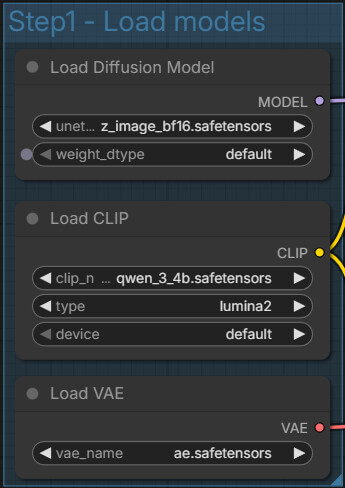
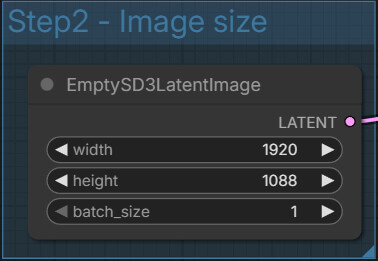
Set your output width and height in the resolution node:
Writing Prompts and Negative Prompts
Enter your main prompt in the positive prompt node describing what you want to create. Always use a negative prompt — Z Image relies on it for optimal quality. Without a negative prompt, outputs frequently contain unwanted artifacts, odd proportions, or composition issues.
✓ With negative prompt

✗ Without negative prompt

Best Settings for Sampling
These are reliable starting settings for the KSampler node:
30 – 504.0 – 7.0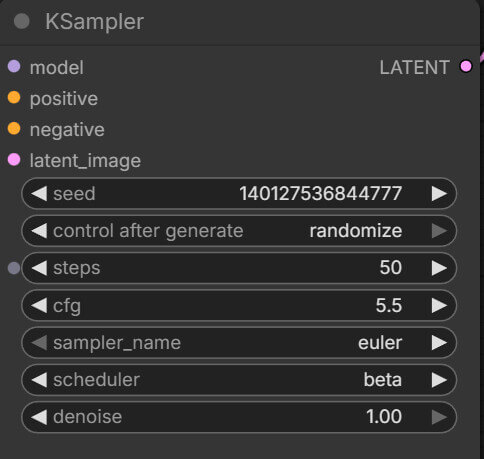
Running the Workflow
Once everything is configured, click Queue Prompt in ComfyUI (or press Ctrl+Enter / Cmd+Enter) to generate your image. The model will process your prompt and produce output based on your settings.
Tips and Troubleshooting
Blank or broken output images
Fix: Check that all model files are in the correct folder paths and the filenames match exactly. Refresh ComfyUI after placing new files.
Weird artifacts or odd details in the output
Fix: Add or improve your negative prompt — this is the most common cause of artifacts in Z Image. You can also try lowering the CFG scale or reducing the step count.
Resolution errors or out-of-memory crashes
Fix: Make sure your width × height stays between 512×512 and 2048×2048. If you need larger output, generate smaller and use an upscaler.
Missing nodes after loading the workflow
Fix: Open ComfyUI Manager, click "Update All", then restart ComfyUI. If a specific node is still missing, search for it in the Manager and install it manually.
Frequently Asked Questions
Join the discussion
Sign in to leave a comment or reply
No comments yet
Be the first to share your thoughts!