
⚡ Quick Answer
Civitai.com and civitai.red are two website addresses that open the same Civitai account and the same model library. Civitai.com only shows safe-for-work content. Civitai.red lets you choose what you see, so a model can appear on one site and be missing on the other. For ComfyUI, the difference matters when you search for models, download them, or open old links.
You follow a ComfyUI guide, click a Civitai link, and the page looks wrong. The model is missing, or a different address opens. The cause is the civitai.red vs civitai.com split, which Civitai introduced in April 2026. This guide explains the five differences in plain English, tells you which site to use, and shows how to download a model into ComfyUI (a free program that runs AI image models on your own computer).
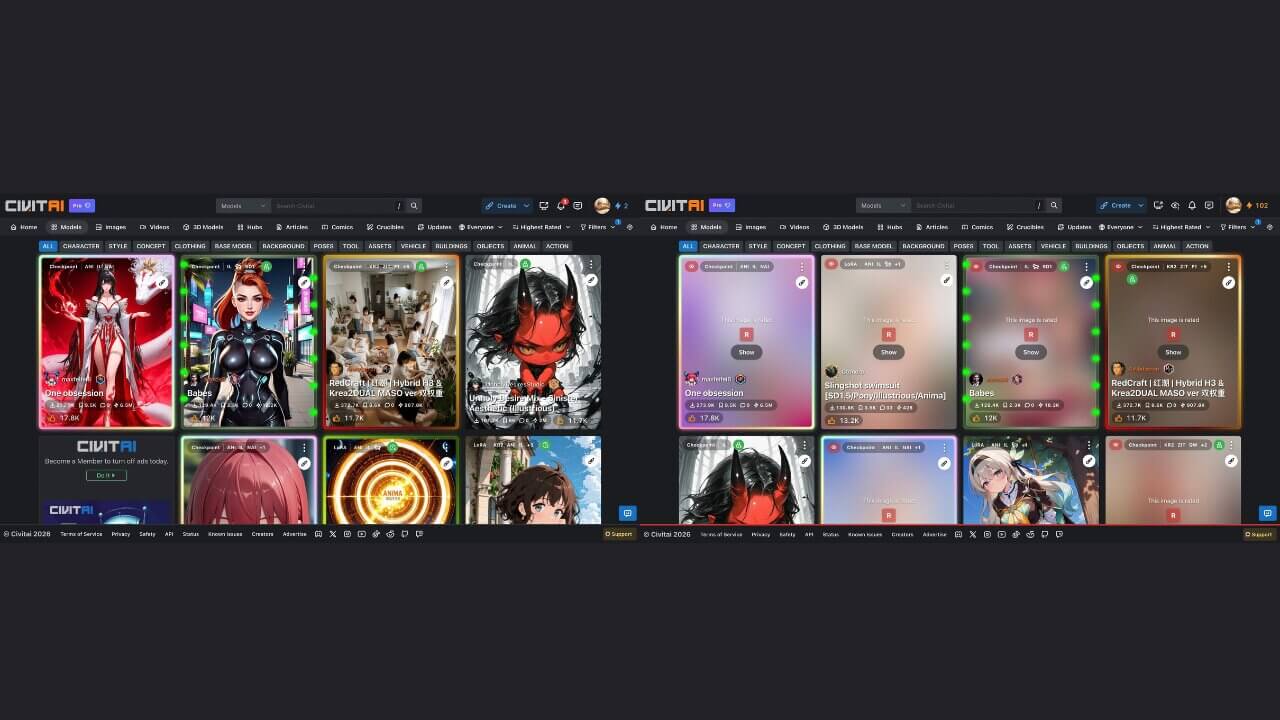
What Is Civitai.red, and What Changed in 2026?
Civitai is a website where people share AI models and the pictures made with them. Most ComfyUI guides send you there to download files. Two kinds of files come up all the time:
- A checkpoint (the main AI model file — it controls the overall style of your images).
- A LoRA (a small add-on file that adds one style, character, or idea on top of a checkpoint). You can learn how to use them in our guide on how LoRAs work in ComfyUI.
Before April 2026, civitai.com showed everything. Civitai also ran a second site, civitai.green, which showed only SFW content. SFW means "safe for work." NSFW means "not safe for work," which covers adult or mature content.
In April 2026, Civitai changed what each address does. It calls this the "two front doors" plan:
- civitai.com became the safe-for-work site. This is the job civitai.green used to do.
- civitai.red became the site that can show the full range of content, including mature content.
- civitai.green now sends visitors to civitai.com automatically.
Civitai gave a business reason. Card payment companies would not work with a site that hosts mature content, so Civitai separated the two kinds of content onto different addresses. You can read the full announcement in Civitai's own "Two Front Doors" post.
Civitai.red is not a new AI model, a new company, or a copy of the site. It is a second address for the same Civitai.
Do You Need a Second Account for Civitai.red? (What Stays the Same)
No. Civitai says one account works on both sites. Both addresses read the same database (the big collection of stored information behind the website), so these things are shared:
- Your account and login
- Your follows, uploads, and stats
- Your gallery
- The same models and LoRAs, with the same files
The only thing that changes is what each site is allowed to show you. If a creator posts a safe image, it appears on both sites. If a creator posts a mature image, it appears only on civitai.red, and only to people who turned mature content on.
Three rules apply on both sites:
- You must be 18 or older. Civitai's Terms of Service require this for the whole service.
- Civitai.red is not "no rules." Some content stays blocked even on civitai.red.
- Each model has its own license. Seeing a model on either site does not mean you can use it for any purpose. We cover this in the FAQ below.
Civitai.red vs Civitai.com: What Are the 5 Differences?
Here is the short version. The sections after the table explain each row.
| # | What differs | civitai.com | civitai.red |
|---|---|---|---|
| 1 | Content shown | Safe-for-work only | You choose what you see |
| 2 | Search results | Hides anything above the safe level | Can show the full catalog |
| 3 | API and downloads | The API lives here | The API is also reachable here |
| 4 | Payments and Buzz | Standard payments for memberships | Buzz purchases (rules change often) |
| 5 | Old links | Old civitai.green links land here | Mature models from old civitai.com links are found here |
Difference 1 — Which Content Does Each Site Show?
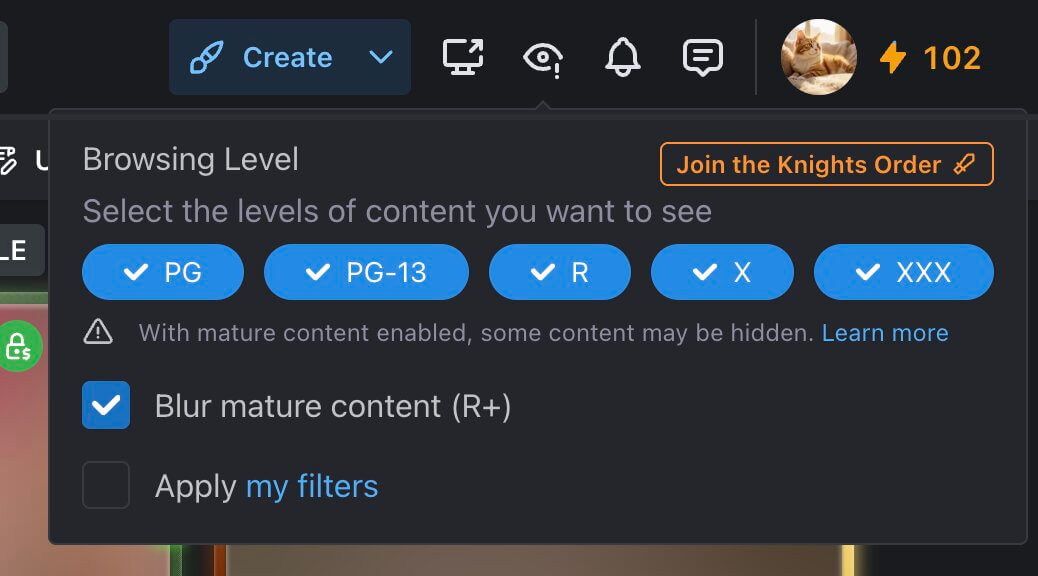
Civitai rates every image and model on a scale from PG (safe) up to XXX (the most explicit). A site then decides how far up that scale it will show.
Civitai.com stops at the safe end. Civitai.red does not apply that limit, so you decide how far up to go in your own settings.
Mature content is a setting you turn on yourself, in your account settings, and you confirm that you are over 18. If that setting is off, you stay at the safe level on both sites.
Difference 2 — Why Is My Model Missing on civitai.com? (Search Results Differ)
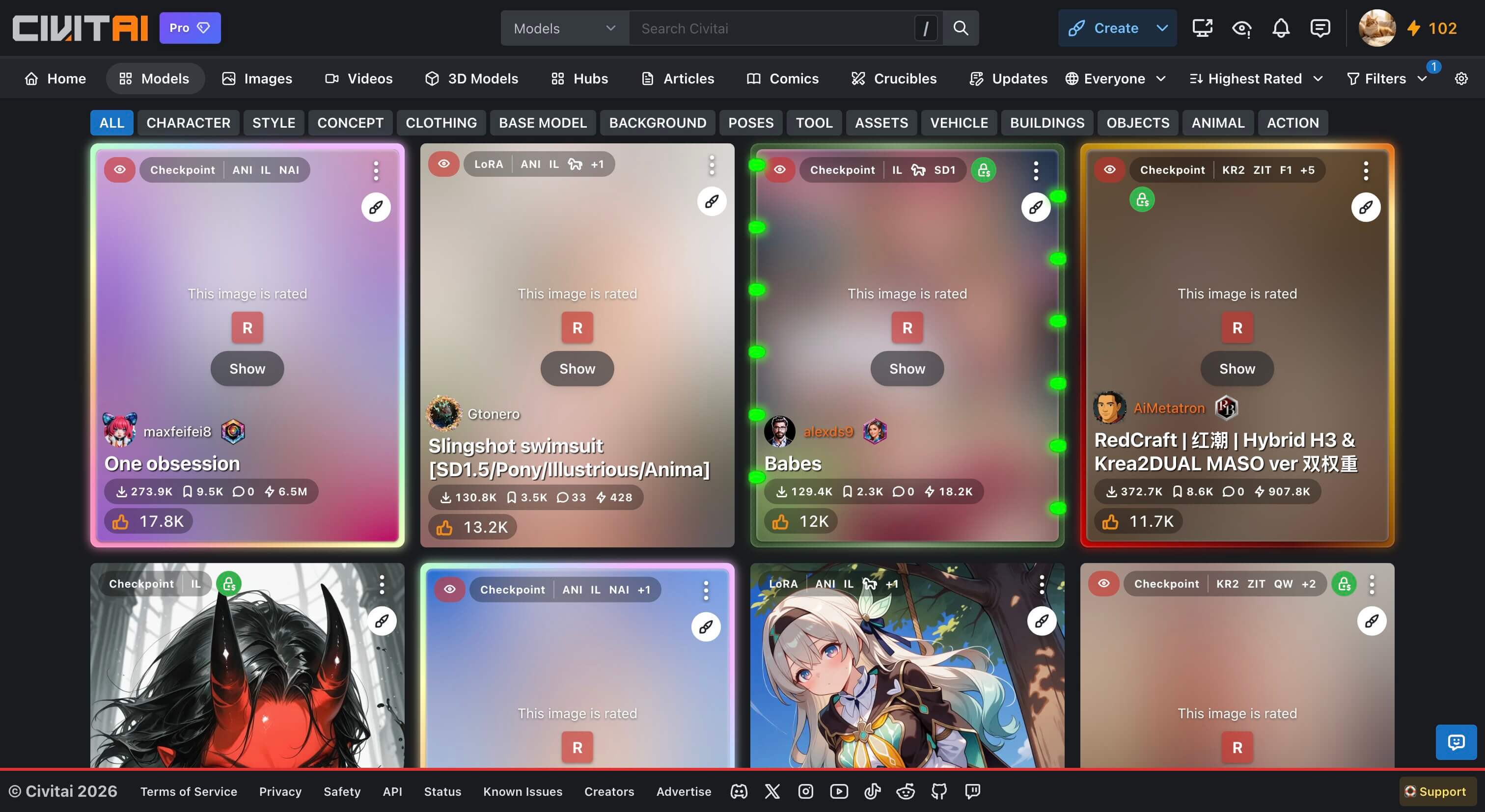
Both sites search the same database, but civitai.com filters out anything above its safe limit. The model was not deleted. It is hidden on civitai.com.
A creator can also mark a whole model as mature. Civitai then hides that model from the safe feeds, even if some of its example images look harmless. So a model that looks innocent can still be missing on civitai.com.
If a model you need is missing, follow these steps:
- Write down the exact model name and the creator's name. You need them to search again.
- Open civitai.red and search for the same name. If the model exists, it should appear in the results.
- Check your content settings if it still does not appear. Your browsing level might be set too low.
- Open the model page and look at the license and the base model before you download anything.
Difference 3 — Which Domain Do You Use for Download Links and API Keys in ComfyUI?
A domain is the website address, such as civitai.com or civitai.red. An API is a way for programs to talk to a website without you clicking around. An API keyis a long private code that tells Civitai "this request comes from my account."
You need an API key when a download tool, not your browser, fetches files for you. Some creators make downloads login-only, and a tool has no login unless you give it a key.
Civitai says its API continues to live on civitai.com and is also reachable through civitai.red. Both addresses work with the same account and the same key. The details are in Civitai's developer docs.
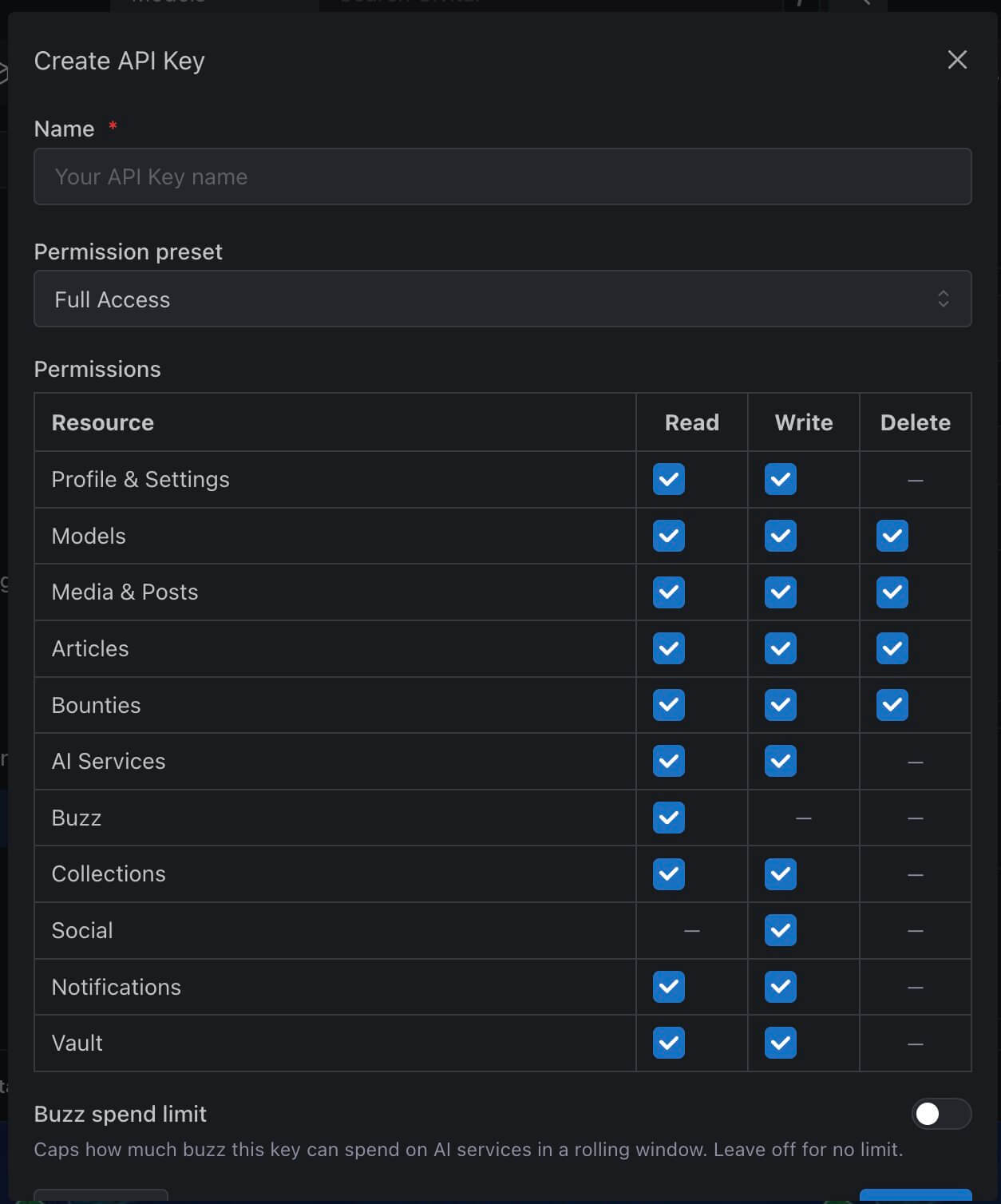
To create a key:
- Sign in to Civitai on either site.
- Open your account settings page (
civitai.com/user/account). - Find the section for API keys and click the button to add a new key.
- Give it a name you will recognize, such as "ComfyUI."
- Copy the key and store it somewhere safe, like a password manager.
Tools use the key in two ways. Some have a settings box where you paste it. Others add it to the end of the download link, like this: https://civitai.com/api/download/models/123456?token=YOUR_KEY. The number is a placeholder, and your tool builds this link for you.
The ComfyUI Manager (an add-on that installs other add-ons and helps manage models inside ComfyUI) is one tool that may ask for a key. You can learn how to install ComfyUI Manager in our separate guide.
Model files end in .safetensors. A safetensors file (a model file format that cannot hide harmful code inside it) is the normal format for models on Civitai.
Difference 4 — How Do Memberships, Payments, and Buzz Differ? (Skip This If You Run ComfyUI Locally)
Buzzis Civitai's on-site currency. You spend it on Civitai's online image generator and on training models on their computers. If you run ComfyUI on your own computer, you do not need Buzz.
Civitai has changed its payment rules several times in 2026, and sources disagree on the current details. Here is what holds up:
- Standard payment methods, such as cards, are set up on the civitai.com side. Memberships are bought there.
- Buzz bought through civitai.red works for all content ratings.
- Civitai has changed the membership and Buzz types more than once. Old guides can be wrong.
Open the pricing page on the site before you buy anything. Downloading models does not require a paid plan. Civitai's free tier lets you download resources, although some creators require a login, and early-access models are an exception.
Difference 5 — What Happened to Old civitai.com and civitai.green Links?
Civitai.green sends visitors to civitai.com, so old civitai.green bookmarks and links still work. Civitai.com used to be the full site, so old civitai.com links can behave differently now.
This matters for ComfyUI guides. A workflow (a saved ComfyUI setup that you can load and reuse) often comes with a link to the model it needs, and many guides were written before the split.
If an old guide links to a civitai.com page and you cannot see the model, try the following:
- Check the model name on the page or in the guide.
- Search for it on civitai.red.
- Try the same page address on civitai.red by changing
.comto.redin your browser's address bar. - Check the date on the guide. If it is from before April 2026, expect old addresses.
Which Civitai Site Should a ComfyUI Beginner Use?
Use this rule:
- Use civitai.com if you want the safe catalog and standard payment options.
- Use civitai.red if you need the full catalog or a model is missing on civitai.com.
- Use one account for both. You log in once.
You do not have to choose forever. Many people keep both addresses bookmarked and switch when a search comes up empty.
How Do You Download a Civitai Model and Use It in ComfyUI?
Before You Start
- ComfyUI installed and opening in your browser (the official project lives on GitHub)
- A free Civitai account (some downloads need a login)
- Free disk space. A small LoRA can be a few hundred megabytes, and a checkpoint can be many gigabytes.
Steps
- Open the model page. This page has the file, the license, and the author's notes. You should see the model's title, example images, and a Download button.
- Check the base model. The page says which base model the file was made for, such as SDXL or Flux. A LoRA only works with the model family it was trained on.
- Read the license. It tells you what you may do with the model.
- Click Download. Your browser saves a file ending in
.safetensors. Large files take several minutes. - Move the file into the right ComfyUI folder. Open your ComfyUI folder (the one you picked when you installed it). Put checkpoints in
ComfyUI/models/checkpointsand LoRAs inComfyUI/models/loras. - Refresh ComfyUI. ComfyUI only checks its model folders when it starts. Press R on your keyboard to refresh the lists, or restart ComfyUI.
- Pick the file in ComfyUI. A node (a rectangular block that does one job) called Load Checkpoint loads your AI model. Click the name in that node, and you should see your new file in the dropdown list.
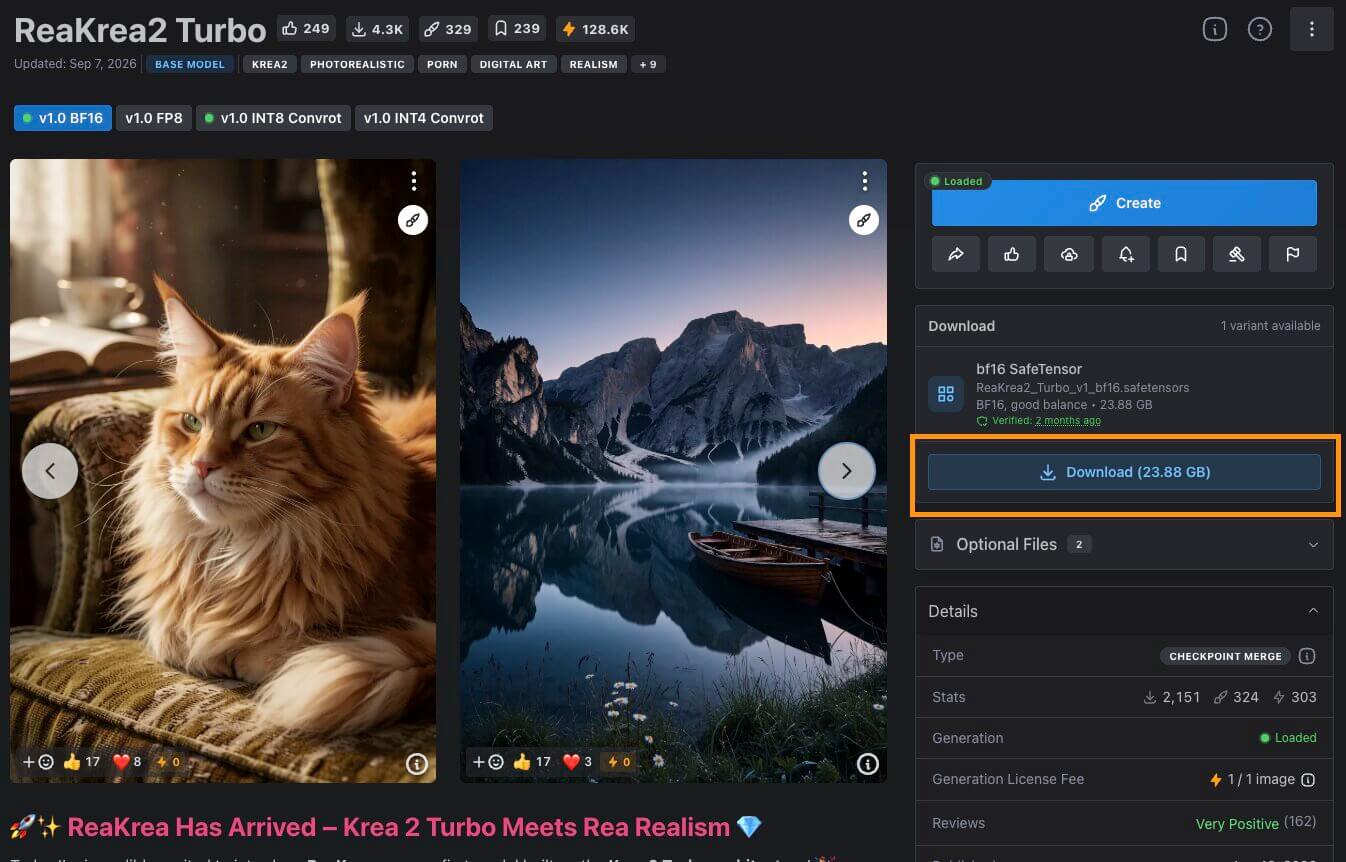
For more on file types and where to find them, read checkpoint models explained.
What Errors Can You Hit When Downloading From Civitai? (Troubleshooting)
If something fails, start with this section. If it does not help, see our ComfyUI troubleshooting guide.
"You need to add API key to download this model"
What causes it: The creator made this model login-only, and your tool has no key.
How to fix it:
- Create an API key as shown in Difference 3.
- Paste it into the Civitai key setting of the tool doing the download.
- Try the download again.
If it still fails, download the file in your browser while signed in. That does not need an API key, and you can move the file into the folder yourself.
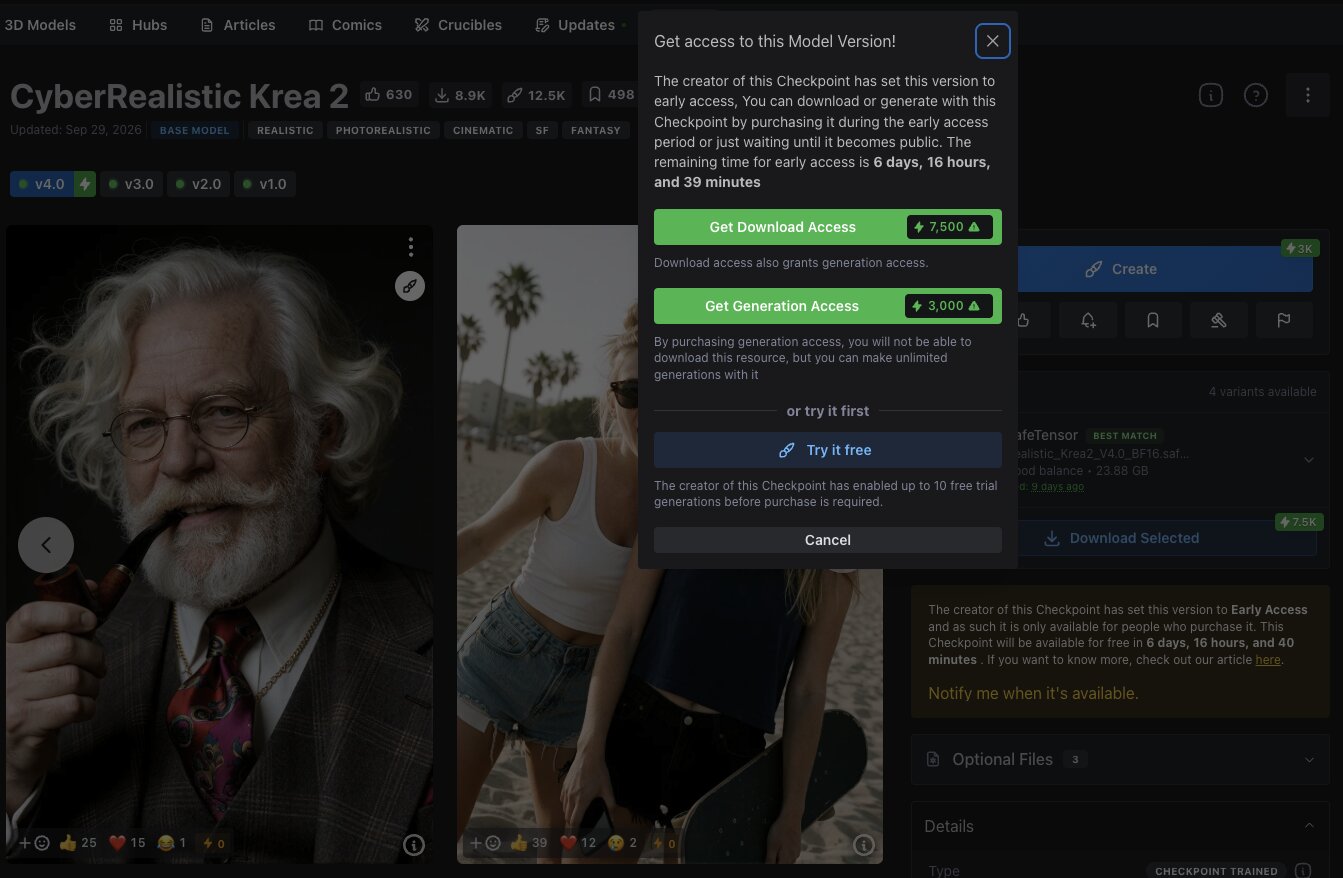
"Invalid or missing CivitAI API key, or early access restriction"
What causes it: One of three things: the key was pasted wrong, the key was deleted, or the model is in early access. Early access means the creator limits new releases to supporters for a time.
How to fix it:
- Delete the old key and make a new one.
- Paste it again and check that there are no spaces before or after it.
- Look at the model page for an early-access label. If you see one, wait until it becomes public or choose another model.
A Model Page Does Not Show on civitai.com
What causes it: The model is rated above the safe level, so civitai.com hides it.
How to fix it:
- Search for the model name on civitai.red.
- Check your content settings if it still does not show.
- Check the creator's profile in case the model was removed.
Frequently Asked Questions
What to Do Next
Learn which checkpoint to download first.
Read Checkpoint Models Explained before you pick your first model, so you know which type fits your computer.
What to Read Next
Once your first download works, the LoRA guide shows how to add a style on top of a checkpoint, and installing ComfyUI Manager makes model and add-on management easier. If a download fails in a way this page does not cover, the troubleshooting guide covers the most common ComfyUI problems.
— Written as a personal recommendation from the Earngenix team.
Published: 2026-10-04 · Last updated: 2026-10-04· Facts verified against Civitai's official announcement and developer documentation.
Join the discussion
Sign in to leave a comment or reply
No comments yet
Be the first to share your thoughts!