
Quick answer
Comfy Cloud, RunComfy, RunningHub and RunPod all let you run ComfyUI without a GPU. Comfy Cloud needs the least setup because it runs in your browser and has a free trial. RunComfy and RunningHub also run in the browser but bill differently. RunPod can be the cheapest per hour, but you start the machine yourself, and storage fees continue after you stop it.
You want to try ComfyUI, but your computer has no strong GPU (graphics card, the part of a computer that does the heavy work when AI makes an image). Renting one over the internet fixes that, and each of these four platforms charges in a different way. Whatever you run there is a workflow (a saved set of connected blocks that tells ComfyUI how to make an image).
This guide compares the four on price, free credits, limits and setup. By the end you can pick one platform and know roughly what your first month will cost.
Do You Actually Need a Cloud Platform If You Have No GPU?
Not always. A free local setup beats any paid platform, so check this first.
ComfyUI needs VRAM (the memory on your graphics card, which decides how big a model you can load). Newer models use a lot of it. Large video models and big batches want 48 to 80 GB, which most home computers don’t have.
- You have a graphics card with some VRAM. Try a lighter setup first. Read about running ComfyUI on low VRAM and which GPU ComfyUI needs.
- You have no graphics card, or a laptop that can’t run modern models. A cloud platform makes sense, so keep reading.
- You only want to see what ComfyUI does. Use a free allowance first and don’t add money yet.
What Do You Need Before You Start?
You need very little. Nothing is installed on your own computer, and RunPod is the only one where you also pick a template (a ready-made machine setup).
- A web browser and an email address for sign-up.
- A payment method, only once you move past the free allowances.
- A test budget of about $5–$20. Add credit after you have used the free options.
- One workflow to reuse on every platform, so the comparison is fair. ComfyUI’s default text-to-image template works.
How Were These Platforms Compared, and When Were Prices Checked?
Prices and limits come from each company’s pricing and support pages, checked on November 2, 2026. They change often, so confirm the live page before you pay. A source link sits next to each platform below.
What Is the Difference Between a Hosted ComfyUI and a Rented GPU?
This one idea explains most of the differences below.
Hosted ComfyUI means the company has already set ComfyUI up for you. You open it in your browser and start. Comfy Cloud, RunComfy and RunningHub work this way.
A rented GPU means you get a machine (RunPod calls it a pod). You choose a template and start ComfyUI on it yourself. You get more control and more to manage. Our step-by-step RunPod setup for ComfyUI covers the full process.
Who sets up what: hosted ComfyUI vs a rented GPU
ComfyUI is built from nodes (rectangular blocks that each do one job, such as loading a model or making the image). Three more terms matter for this comparison:
- Custom nodes are extra blocks made by the community. Some workflows need them.
- A LoRA is a small add-on file that changes the style of your images.
- A checkpoint is the main AI model file. It controls the basic look of your images.
Comfy Cloud, RunComfy, RunningHub and RunPod Side by Side: A ComfyUI Cloud Comparison
All four in one table. Prices are in USD, checked November 2, 2026. Scroll sideways on a phone.
| Comfy Cloud | RunComfy | RunningHub | RunPod | |
|---|---|---|---|---|
| Setup | None, runs in the browser | None for hosted ComfyUI | None, runs in the browser | Pick a template and start a pod |
| Free way to start | 5 free runs on real GPUs per the pricing page. Older pages list 400 monthly credits, so confirm at sign-up. | No free GPU time listed. Pro includes 20 free CPU hours a month for uploads and setup. | 100 free coins per daily sign-in | None found |
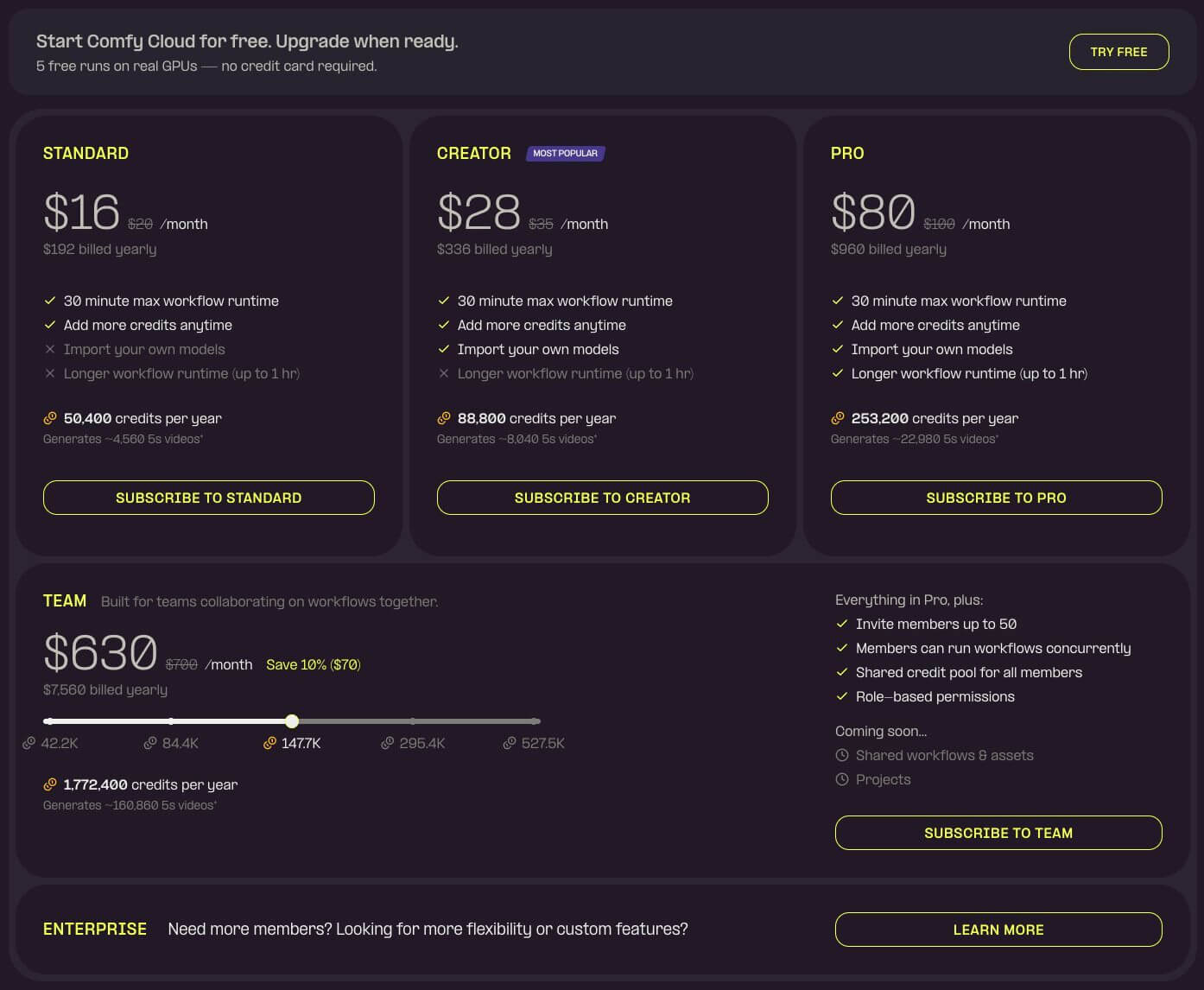
| Cheapest paid entry | $20/month (Standard), or $16/month billed yearly | From $0.99/hr for a 16 GB machine | Plans from $71.9/year | RTX 4090 at $0.34/hr (Community) or $0.69/hr (Secure) |
| GPU | RTX 6000 Pro, 96 GB VRAM | Machines from 16 GB to 80 GB | 24 GB (Standard) or 48 GB (Plus) | Wide range, such as 24 GB RTX 4090 |
| Billing | Monthly credits, spent on active GPU time | Hourly rate for the machine | Coins per second while a workflow runs | Hourly while the pod is on, plus storage |
| Custom nodes | Can’t install your own | Yes, saved with your environment | Check current rules | Yes, full control |
| Your own models | Creator plan and up | Yes, upload through a CPU machine | Check current rules | Yes |
| Run-time limit | 30 min (Standard, Creator), 1 hour (Pro) | None found | 20 min on the free tier | None found |
| Charges while idle | No, editing is free | Machine bills while it runs | No, you pay per run | Yes, pods bill while on |
| API | Yes, limits by plan | Yes (serverless) | Paid plan required | Yes (serverless) |
How Does Each Platform Charge You?
Billing is where beginners get surprised. Read this section before you add money.
What Are the Prices on Each Platform?
RunningHub vs RunPod: Pay Only When You Click Run, or While the Machine Is On?
This is the biggest difference between the two. RunPod charges whenever the server is running, even while you only read or edit. RunningHub charges only when you run a workflow, and Comfy Cloud works the same way: building and editing are free, and credits go only on active GPU time.
What you are billed for in a 10-hour session
RunPod also bills for storage on its own line. A stopped volume disk costs double the running rate, and a network volume keeps billing while the pod is stopped. Pick Community Cloud for the lower price, or Secure Cloud for more reliable data centers.
What Does a Typical Month Cost on Each One?
Say you spend 10 hours at the screen in a month and 2 of them are actual generating. These are estimates from the published rates, not measured bills.
| Platform | You pay | How it adds up |
|---|---|---|
| Comfy Cloud | $20 | Standard plan. Two GPU hours is about 1,916 credits, inside the 4,200 included. |
| RunComfy (Large, 24 GB) | $17.50 | 10 hours × $1.75, if the machine runs the whole session. |
| RunningHub (24 GB) | Check the coin price | 2 hours × 3,600 seconds × 0.2 = 1,440 coins. Look up what that costs on the site. |
| RunPod (RTX 4090) | $10.40–$13.90 | 10 hours × $0.34–$0.69, plus about $7 for a 100 GB network volume. |
Estimated cost of a 10-hour month (USD)
What Can’t You Do on Each Platform?
Check these limits before you pay. They are the usual reasons people switch platforms.
Comfy Cloud
- BlockedYou can’t install your own custom nodes. Only the supported set is available (see the Comfy support page). For the local fix, read installing missing nodes in ComfyUI.
- LimitYour own models need the Creator plan ($35) or above. You import them from Civitai or Hugging Face, and only safetensors files (a safe model file format) are accepted. See the import models guide.
- LimitA single run stops after 30 minutes on Standard and Creator, and after 1 hour on Pro.
RunComfy
- AllowedNo hard run-time limit found on the pricing page. Machines bill by the hour while they run.
- LimitFree storage is 10 GB. How long unused files are kept differs between page versions (72 hours or 90 days), so check before you rely on it.
RunningHub
- LimitThe free tier gives 100 coins per day, one task at a time, up to 20 minutes per task.
- LimitThe API needs a paid plan.
- UnconfirmedCustom-node and own-model rules weren’t confirmed. Check the site before you count on either.
RunPod
- LimitStorage fees keep running after you stop the pod, as covered in the billing section.
- AllowedYou can install custom nodes and add your own models, because the machine is yours for the session.
Which Cloud ComfyUI Is Best for Beginners, and Which Should You Pick First?
Pick by your situation. These matches come from the published prices and limits above.
Which one should you try first?
You want to try ComfyUI for free first
Comfy Cloud, then RunningHub
Comfy Cloud has a free trial and RunningHub gives daily coins. Neither needs an install.
You need your own LoRAs
Comfy Cloud Creator ($35) or RunComfy
Creator unlocks model import. RunComfy and RunPod let you add files freely.
You need custom nodes
RunComfy or RunPod
Comfy Cloud doesn’t let you install your own nodes.
You want the lowest hourly price
RunPod Community Cloud
About $0.34/hr for an RTX 4090, if you can manage a machine and watch storage.
To learn what the official option does in more detail, read what Comfy Cloud is and how it works.
RunComfy vs RunningHub: Which Hosted Option Fits You?
Both give you ComfyUI in a browser. RunningHub’s draw is a pre-installed environment with a large library of workflows other users have shared. RunComfy’s draw is an unmodified ComfyUI where you can save the whole environment and reopen it exactly as you left it.
Pick RunningHub if you want to run other people’s ready-made workflows. Pick RunComfy if you want standard ComfyUI that behaves like your own computer.
How Do You Run Your First Image on Each Platform?
Do this once on one platform, then repeat on the others if you want to compare. In ComfyUI, the button that sends a job to the GPU is called Run (older versions call it Queue Prompt, which means “send this job to the GPU”). Choose a platform below.
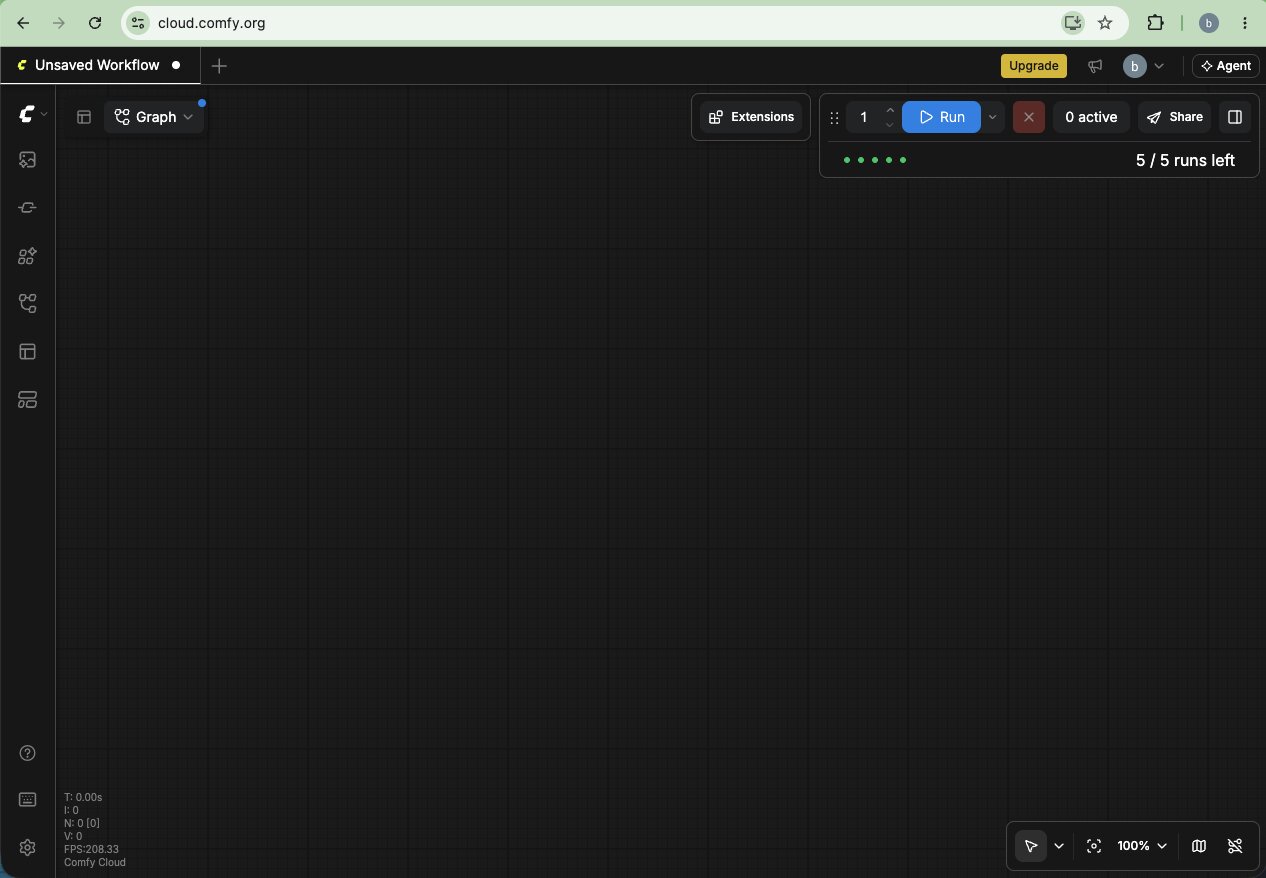
Go to cloud.comfy.org and create an account.
The account ties your free runs and credits to you.
You should see: A workspace opens in your browser. Nothing is installed on your computer.
Open a template (a ready-made workflow) from the template list.
Templates are already wired up, so you can run one without building anything.
You should see: The ComfyUI canvas appears, with blocks (nodes) joined by wires.
Click the Run button.
This sends the job to a cloud GPU.
You should see: A progress bar shows while the image generates.
Wait for the image to appear in the output block at the end of the workflow.
Credits are used only for the seconds the GPU works.
You should see: Your first image shows in the output block.
What Errors Will You Hit, and How Do You Fix Them?
Something not covered here? Our general ComfyUI troubleshooting guide covers errors that show up in every workflow.
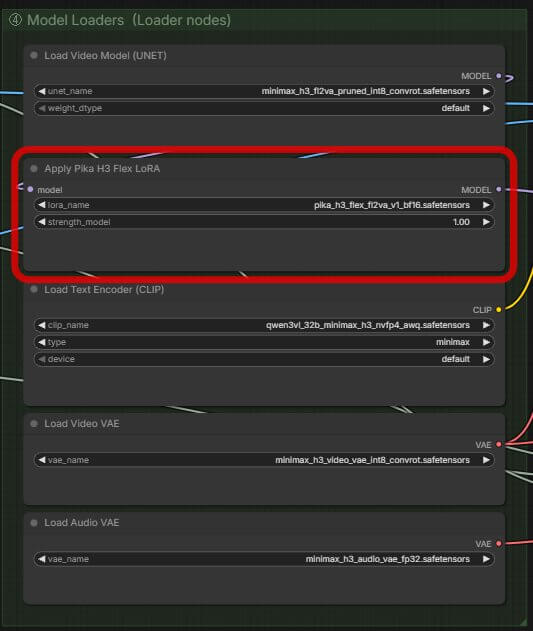
A red box says some nodes are missing (Comfy Cloud)
What causes it: The workflow uses a custom node that Comfy Cloud doesn’t offer, and you can’t install your own there.
- Open the Nodes tab in the left sidebar. It lists every custom node Comfy Cloud supports.
- If your node isn’t listed, use Comfy’s request form for cloud custom nodes.
- Or switch to RunComfy or RunPod, where you can install your own nodes.
Your job stops after 30 minutes and no image appears (Comfy Cloud)
What causes it: Comfy Cloud cancels any run that goes past the limit: 30 minutes on Standard and Creator, 1 hour on Pro. Long video jobs hit this first.
- Make the job smaller: a shorter video, a smaller image size or fewer steps.
- Or upgrade to Pro, which allows 1 hour per run.
- Or move the job to RunPod or RunComfy, where we found no run-time cap.
ComfyUI won’t open on your RunPod pod
What causes it: A leftover process (a program that is still running) may be holding the port ComfyUI needs. A port is a numbered door a program listens on, and ComfyUI uses 8188. Two community guides suggest the same first fix.
- Stop the pod, wait 15 seconds, then start it again.
- If it still fails, open the Web Terminal (a text window on the pod page) and check for a stuck ComfyUI process:
lsof -i :8188 - If a process shows up, stop it using the process number in the results, then restart the pod.
Frequently Asked Questions
What to do next
Pick one platform and run one template today.
Claim a free allowance, run a ready-made template, then learn what each block in that workflow does.
What to read next
If you’re still deciding between renting and buying, read which GPU ComfyUI needs and how to run ComfyUI on low VRAM. If a cloud workflow shows a missing node, this guide to installing missing nodes explains the local fix.
— Written as a personal recommendation from the Earngenix team.
Published: 2026-11-03 · Last updated: 2026-11-03 · Prices checked November 2, 2026 on each platform’s own pricing page.
Join the discussion
Sign in to leave a comment or reply
No comments yet
Be the first to share your thoughts!