
What is Stable Diffusion — and Why Does It Matter in 2026?
Two years ago, AI-generated images had melted faces, six fingers on every hand, and text that looked like alphabet soup. In 2026, the same technology produces results professional designers have to zoom in to tell apart from real photography.
Stable Diffusion is the open-source engine behind much of this shift. Unlike Midjourney or ChatGPT Images — which are closed services you pay a subscription to use — Stable Diffusion is free, runs on your own hardware, and gives you complete control over every part of the generation process.
This guide covers everything: what it is, how it works, what it can do, and exactly how to start using it today — whether you want a zero-installation online option or a full local setup.
What is Stable Diffusion?
Stable Diffusion is an open-source AI model built by Stability AI that generates images from text descriptions. You type what you want to see — "a golden sunset over mountains, oil painting style" — and the model produces a unique image that matches your description.
What makes it different from other AI image tools is that it's open-source and runs locally on your own computer. No subscription. No cloud server. No data sent anywhere. You own the process entirely.
What you can do with it:
- Generate images from text prompts in any style — photorealistic, anime, painting, pixel art
- Transform one image into another (Image-to-Image)
- Fix or replace parts of an existing image (Inpainting — masking one part of an image and letting the AI redraw just that part)
- Generate images of specific people or characters (LoRA fine-tuning — a small add-on file that teaches the model one extra face or style)
- Create short video clips and animations
- Build fully automated AI workflows in ComfyUI
- Fine-tune the model on your own style or dataset
How Does Stable Diffusion Work?
The name explains the process. Stable Diffusion generates images by running a process called denoising diffusion in reverse. It starts with a completely random, noisy image — like TV static — and then gradually removes the noise, step by step, until a clear image forms.
Your text prompt guides every step of this process. The model was trained on hundreds of millions of image-text pairs, so it has learned how to steer the denoising toward whatever you described.
The Denoising Process — How Your Image Is Born
Random Noise
Pure static
Step 10
Shapes emerge
Step 25
Structure forms
Step 40
Details sharpen
Final Image
Clean result
Guided by your text prompt, the model removes noise in ~20–50 steps until an image forms.
Think of it like a sculptor working from rough stone. At step one, there's just noise. By step ten, rough shapes have appeared. By step thirty, a recognizable structure is visible. By the final step — typically between 20 and 50 — a polished, detailed image has emerged.
Example: You type "a sunset over a mountain, dramatic orange sky, wide shot, 4K photo." Stable Diffusion starts with static, and over ~30 steps shapes it into exactly that scene — guided by your description every step of the way.
Technically, SD operates in latent space — a compressed mathematical representation of the image — which is why it's much faster and less memory-intensive than some alternative approaches. The final step decodes this latent representation into the actual pixel image you see.
Stable Diffusion 3.5 — What Changed in 2025
Stable Diffusion 3 launched in mid-2024 to mixed reviews. Stability AI acknowledged it didn't meet their own standards. SD 3.5, released in October 2024 and updated through 2025, addressed most of those complaints with a significant architecture overhaul. As covered below, SD 3.5 remains Stability AI's current flagship model as of this update.
Three model tiers for different hardware
SD 3.5 Large (8.1B parameters) is the highest quality, built for professional use at 1MP resolution. SD 3.5 Large Turbo generates the same quality in just 4 steps instead of ~40 — dramatically faster. SD 3.5 Medium (2.6B parameters) is optimized for consumer GPUs and edge devices.
Dramatically better prompt adherence
The new MMDiT-X transformer architecture, combined with Query-Key Normalization in the transformer blocks, produces images that far more accurately match complex text descriptions. The gap between what you type and what you get has closed significantly.
Improved text rendering inside images
One of the oldest weak points of AI image generation — readable text inside images — has improved substantially. SD 3.5 can now render legible signs, labels, and captions with reasonable accuracy.
Free for commercial use (under $1M revenue)
The Stability AI Community License allows free use for individuals and businesses earning under $1 million per year. Models are available on Hugging Face. No API key required for local use.
Everyone's Asking About Stable Diffusion 4's Release. Here's the Truth for 2026
If you searched for "Stable Diffusion 4" and landed on a page describing a brand-new model with huge resolution numbers and a specific 2026 launch date, here's the simple answer: that model does not exist.
Stability AI keeps an official news page listing everything the company actually releases. As of this writing, that page shows no Stable Diffusion 4. Stable Diffusion 3.5 — covered above — is still the newest version Stability AI has shipped.
So where did the "Stable Diffusion 4" idea come from? A handful of websites have published confident-sounding articles describing a model that was never announced, complete with invented technical specs and an invented release date. None of these articles link back to an actual Stability AI announcement. This happens a lot with fast-moving AI news: one site writes up a rumor as if it were confirmed, other sites copy the claim, and soon it looks like real news simply because so many pages repeat it.
What Stability AI has actually released in 2026 is different from the rumor entirely: Stable Audio 3.0 (a music-generation model) and Brand Studio (a platform for businesses managing AI-generated creative content). Neither one is a new image model.
The takeaway: as covered in the previous section, Stable Diffusion 3.5 remains the current flagship model. If you want to check for yourself whether a new version has shipped, the only source that matters is Stability AI's own news page — not a blog post claiming to have "leaked" the specs.
site:stability.ai. An official announcement beats any "leak" every time.What Stable Diffusion Can Do — All Capabilities Explained
1. Text-to-Image — Every Style Imaginable
The core capability: describe what you want, get an image. Stable Diffusion handles an enormous range of styles — photorealistic, anime, oil painting, watercolor, pixel art, comic book, fantasy illustration, and much more. The style is determined by your prompt and the checkpoint (the main AI model file that controls what art style your images have) you choose.
Photorealistic
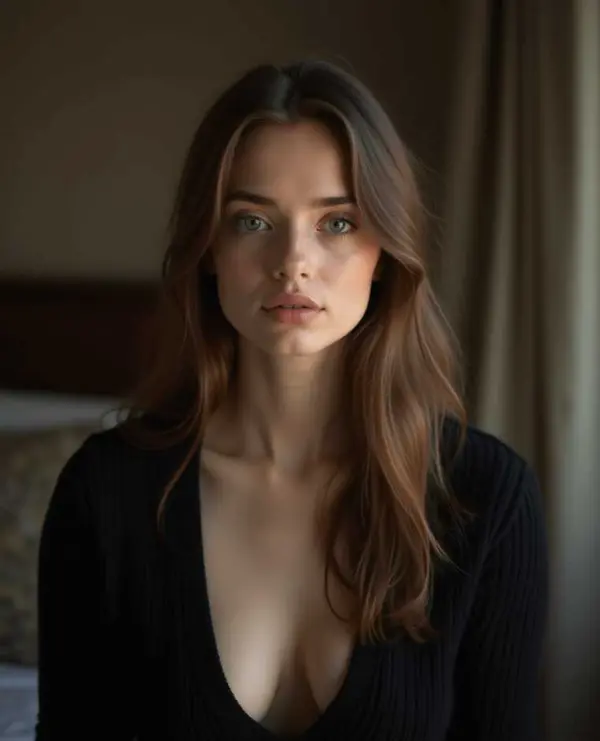

Fantasy / Digital Art


Cartoon / Comic Style


Watercolor / Painting
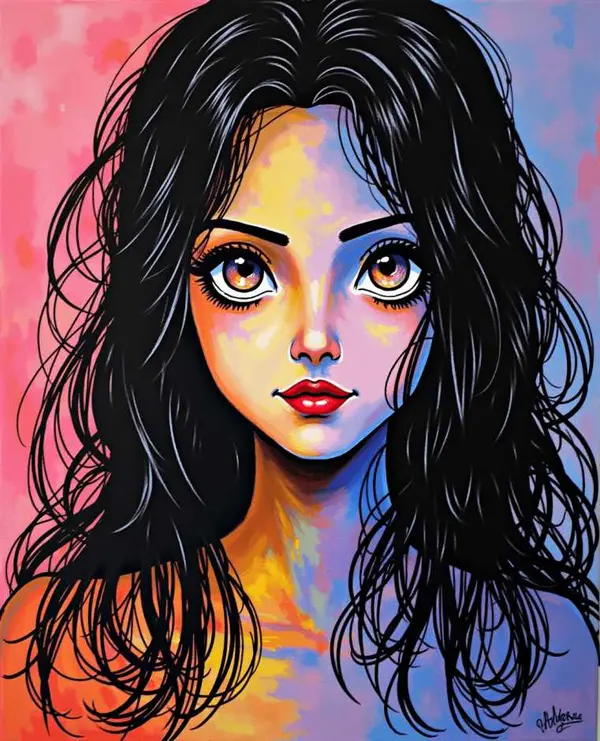

Pixel Art

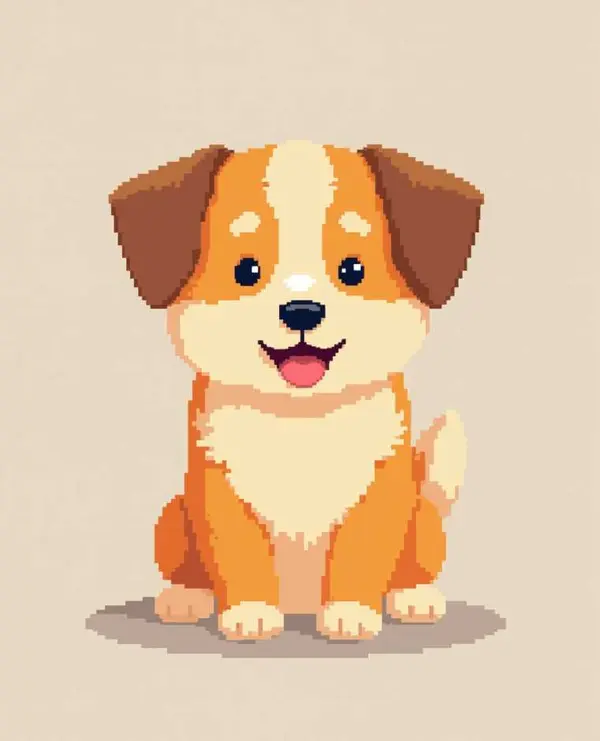
Anime Style


2. Image-to-Image — Transform Any Photo
Give Stable Diffusion a starting image instead of pure noise, and it will transform it based on your prompt. The original image acts as a guide — you control how strongly SD follows it versus how freely it reinterprets. Use cases include style transfer, photo restoration, reference-based illustration, and turning rough sketches into polished artwork.
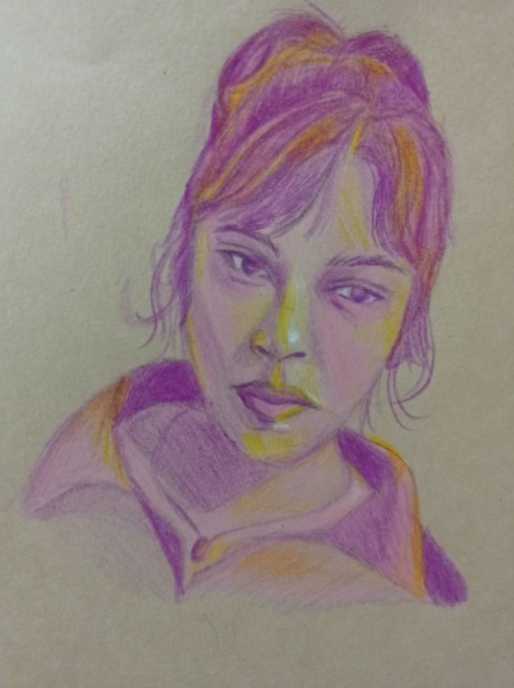
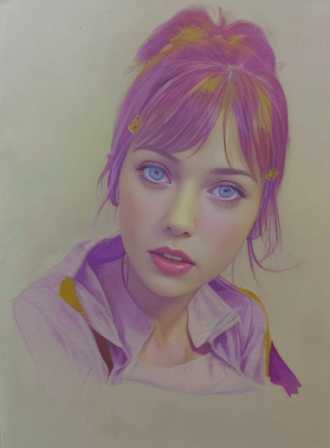
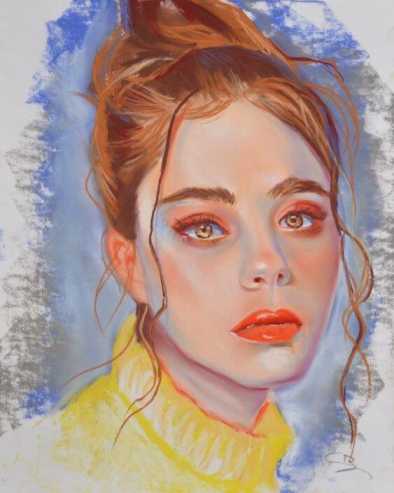
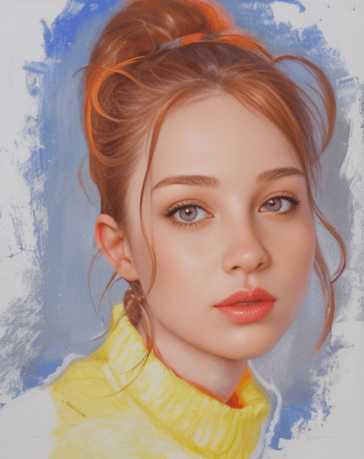
3. LoRA Fine-Tuning — Generate Specific Faces and Styles
LoRA (Low-Rank Adaptation) lets you train Stable Diffusion on a small set of images — typically 10–30 photos — to teach it a specific face, character, art style, or product. Once trained, you can generate that subject in any scenario, pose, or style you want. This is how creators make consistent character images, how brands generate product visuals at scale, and how artists clone their own style into the model.




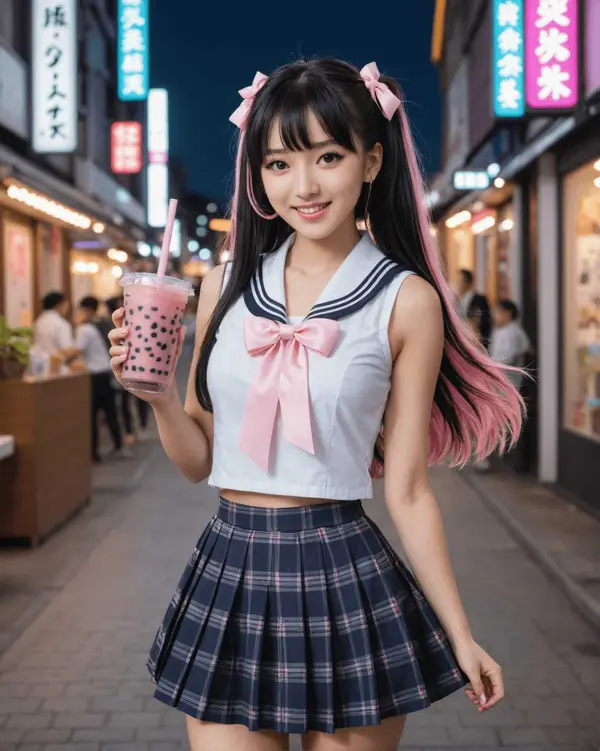
4. Inpainting — Fix or Replace Anything in an Image
Inpainting lets you mask a specific area of an image and tell Stable Diffusion to regenerate just that section while leaving the rest untouched. The example below shows changing the object held in a character's hand — a task that would take minutes in Photoshop but takes seconds here. Inpainting works for removing unwanted objects, fixing facial features, changing clothing, filling in backgrounds, and correcting AI artifacts.
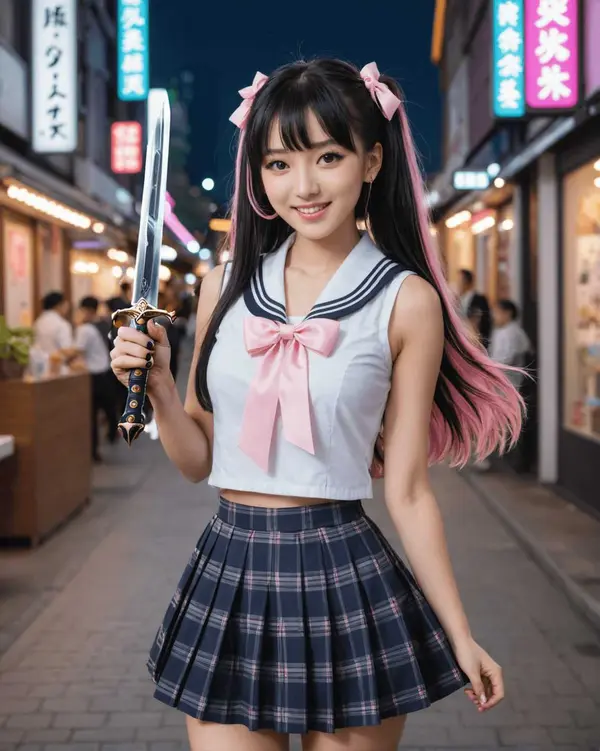
5. AI Video Generation — From Images to Motion
Stable Diffusion extensions and ComfyUI workflows can now handle both text-to-video (turning a written prompt into a video clip) and image-to-video (turning a still image into a moving one). This is where the technology is moving fastest in 2026 — tools like LTX-2.5 and MiniMax H3 integrate directly into ComfyUI and can produce several-second clips, often with matching sound, from a still image or a text prompt.
Using MiniMax H3 (video + audio, generated together)
MiniMax H3 is different from most video models because it generates the video and its audio in the same process, instead of adding sound afterward as a separate step. That means sound effects and any spoken dialogue line up naturally with what's happening on screen, without you needing to sync anything by hand.
Using LTX-2.5 (multiple connected shots in one generation)
LTX-2.5 can generate a short scene made of several connected shots — a wide shot followed by a close-up, for example — in a single generation, while keeping the same character, lighting, and voice consistent across the cuts. It also supports 4K HDR output, meaning a wider, more realistic range of color and brightness than standard video.
Want to go deeper on AI video? See our full guides: MiniMax H3 in ComfyUI: Full Text-to-Video and Image-to-Video Workflow Guide, LTX-2.5 Settings & Prompts Guide, and Wan2.2 for ComfyUI.
Stable Diffusion vs Flux vs Midjourney in 2026
The AI image generation landscape has shifted significantly since this blog was first published. Midjourney launched V8 in March 2026 with 5x faster rendering. Flux 2 by Black Forest Labs (released November 2025) has become the dominant open-weight model for high-quality generation. And GPT Image 2 replaced DALL-E inside ChatGPT in April 2026. Two more open-weight models are worth knowing about too: Krea 2, a 12.9-billion-parameter model built from scratch by Krea AI with a fully open base version you can fine-tune yourself, and Z-Image, a 6-billion-parameter model from Alibaba's Tongyi-MAI team that generates images faster than anything else in this comparison, while staying free for commercial use under the Apache 2.0 license (an open-source license with very few restrictions on how you use it). Learn more about running Krea 2 in ComfyUI. Here's where Stable Diffusion stands against all of them:
AI Image Generator Comparison — 2026
Image Quality
Generation Speed
Customization
Cost Freedom
Scores are relative ratings, not benchmarks. Cost Freedom = 100 means fully free/open.
Stable Diffusion 3.5
Open Source · Free · Run LocallyMaximum control and privacy. Runs entirely on your hardware. Supports LoRA, ControlNet (a tool that lets you guide the exact pose, edges, or depth of a generated image using a reference image), inpainting, custom checkpoints. Best for: developers, power users, anyone who wants full ownership of the process.
Get started with ComfyUI →Flux 2 (Black Forest Labs)
Open Weight · Fast · API AvailableEmerged as the leading open-weight model for photorealism in 2025-2026. Flux 2 Klein runs locally on consumer GPUs (Apache 2.0 licensed). Flux 2 Pro/Dev available via API. Now integrated in ComfyUI.
Flux 2 ComfyUI Workflow →Midjourney V8
Closed · $10/mo+ · Web InterfaceUnmatched aesthetic quality and ease of use. V8 (March 2026) generates native 2K images 5x faster than V7. No access to the underlying model, no local running, no custom fine-tuning. Best for: designers who want stunning results with minimal setup.
How to Get Started with Stable Diffusion
Two paths: online (zero setup, run in your browser) or local (install on your own computer, full control, free forever). Here's what each looks like:
Option 1: Start Online — Zero Installation
Several platforms let you run Stable Diffusion through a browser with no setup required. Good for testing before committing to a local install.
- DreamStudio (Stability AI's official platform) — pay-per-image, runs SD 3.5
- Hugging Face Spaces — free SD demos hosted by the community
- Replicate — run any SD checkpoint via API or web interface
- Mage.space — clean interface, free tier available
Option 2: Run Locally — Full Control, Free Forever
A local installation puts the models on your own machine. You can generate unlimited images, use any checkpoint, build custom workflows, and keep everything private. The setup takes 30–60 minutes the first time.
What you need:
- Windows, Mac (Apple Silicon), or Linux
- Nvidia GPU with 6GB+ VRAM (your GPU's own dedicated video memory) for SD 1.5/2.x (RTX 3060 or better)
- Nvidia GPU with 8–16GB VRAM for SD 3.5 Large (RTX 3080/4070 or better)
- Apple Silicon M1/M2/M3 Macs run Stable Diffusion natively via Metal GPU acceleration
- 20–30GB free disk space for models
Full installation guides: Windows setup guide · Mac (Apple Silicon) guide · ComfyUI full install
Best Interfaces for Running Stable Diffusion
Stable Diffusion is a model — it needs a front-end interface to use it. Several options exist, each suited to a different level of experience and use case.
ComfyUI
⭐ Recommended for Most CreatorsA node-based workflow builder that gives you complete control over every step of the image generation process. ComfyUI is the choice of professional AI artists, developers, and content creators. It runs any model — SD, Flux, LoRA, video — and the visual workflow system makes automation possible without code.
✅ Best for
Most powerful and flexible
Runs SD 3.5, Flux 2, video models
Large community, constant updates
Best for YouTube automation workflows
⚠️ Consider if
Steeper initial learning curve
Requires some setup time
AUTOMATIC1111 (A1111)
Most Widely DocumentedThe most popular Stable Diffusion interface for years. Extensive extension ecosystem, huge community, thousands of tutorials. Slightly slower than ComfyUI for complex workflows, but familiar and well-supported.
✅ Best for
Massive documentation library
Extensions for almost everything
Easy LoRA and model management
⚠️ Consider if
Slower than ComfyUI on complex workflows
Less flexible for video generation
Fooocus
Best for BeginnersDesigned for simplicity. Fooocus hides most of the technical controls and lets you focus on prompts and results. Minimal setup, clean interface, surprisingly good output quality. The fastest path from download to first image.
✅ Best for
Near-zero setup time
Clean, non-intimidating interface
Good default quality
⚠️ Consider if
Limited customization
Not suitable for advanced workflows
InvokeAI
Best UI DesignPolished, visually appealing interface with a canvas-based approach to image editing. Good middle ground between Fooocus (simple) and ComfyUI (complex). Popular with designers who want a clean workflow.
✅ Best for
Best-looking interface
Canvas editor built in
Beginner-friendly but capable
⚠️ Consider if
Smaller community than A1111/ComfyUI
Fewer integrations
Once you've picked an interface, the fastest way to see Stable Diffusion actually work is to install ComfyUI and run your first prompt — our full installation guide walks through it end to end.
Real-World Use Cases — What People Are Actually Doing With It
Stable Diffusion started as a hobbyist tool. In 2026, it's being used at a professional level across a wide range of industries.
YouTube Automation
AI creators use SD and ComfyUI to generate scene images, thumbnails, and short video clips for faceless YouTube channels — without hiring designers or illustrators.
Stock Image Business
Generate and sell AI images on stock platforms. See our guide on how to monetize AI-generated images for practical steps.
Fashion & Product Visuals
Brands use img2img and LoRA to generate product photography variations and mockups — cutting photoshoot costs dramatically.
Game & Concept Art
Indie game developers use SD to generate concept art, character sprites, and environment backgrounds at a fraction of traditional illustration costs.
Custom Art & Commissions
Artists use LoRA to extend their personal style and produce commissioned artwork at scale while keeping full style consistency.
Marketing & Social Content
Marketing teams use Stable Diffusion for ad creatives, social media visuals, and website illustrations — faster and cheaper than stock photography.
KEEP BUILDING
Ready to start generating?
Pick your first tutorial and have your first image generated in under an hour. ComfyUI is the best starting point for anyone serious about AI image generation.
Frequently Asked Questions
What to Read Next
If you're ready to actually generate something, the ComfyUI installation guide is the natural next step. Once you're generating images regularly, our LoRA guide covers how to generate the same face or style consistently across every image. And if video is more your goal than stills, our comparison of local video models is the right place to decide which one fits your project.
— Written as a personal recommendation from the Earngenix team.
Published: 2025-01-15 · Last updated: 2026-09-25
Join the discussion
Sign in to leave a comment or reply
No comments yet
Be the first to share your thoughts!